
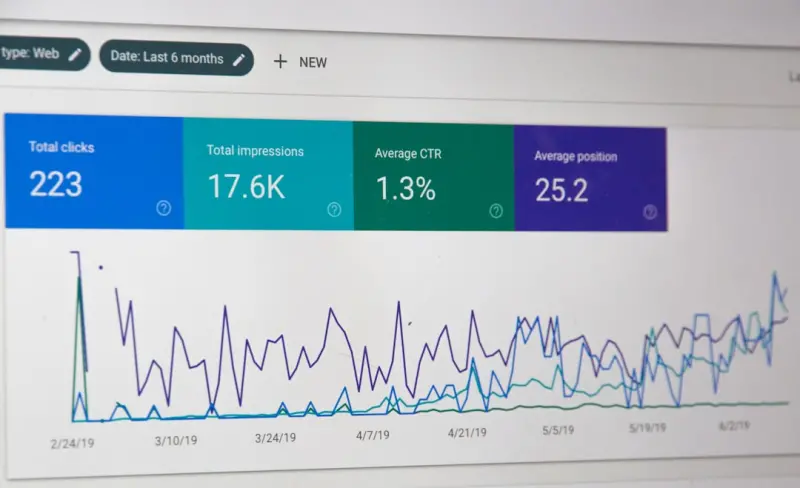
When most SaaS marketers think about SEO, they picture blog posts, landing pages, or even product feature pages. Rarely do they glance at the treasure trove sitting quietly behind the login screen: the knowledge base, help center, and product documentation. Those pages are already indexed, already trusted by users, and already answering real‑world problems. The missing link is a systematic approach to turning that repository into a high‑impact SEO engine.
Why Documentation Deserves SEO Attention
Documentation lives at the intersection of search intent and product value. A prospect typing “how to set up automated billing in SaaS X” isn’t just looking for a blog overview; they’re ready to evaluate a solution. If your help article ranks for that query, you capture the user at a decisive moment in the buyer’s journey.
Beyond immediate traffic, well‑optimized docs improve:
- User experience – Clear, discoverable answers reduce churn.
- Authority signals – Search engines reward sites that consistently provide accurate, in‑depth answers.
- Internal data loops – Search insights can inform product roadmaps and support resources.
Mapping Search Intent to Help Articles
The first step is to audit your existing documentation against real search queries. Use the Google Search Console, keyword‑research tools, and even the People Also Ask feature to surface questions that align with your product capabilities. Classify each query into one of three intent buckets:
- Informational – Users seeking how‑tos, definitions, or best practices.
- Navigational – Users looking for a specific page or feature within your product.
- Transactional – Users ready to take an action, such as signing up for a trial.
Once you have this map, prioritize content creation for high‑volume informational and transactional intents that are currently under‑served. A well‑structured “Getting Started” guide that answers a top‑ranking question can become a gateway to deeper engagement.
Technical Foundations: Schema & Performance
Search engines love structured data because it helps them understand the context of your content. For documentation, FAQ schema and How‑To schema are especially potent. Implement these using JSON‑LD snippets directly in the HTML of your help articles. The result? Rich snippets that appear in SERPs, boosting click‑through rates without extra ad spend.
Performance is non‑negotiable. Docs are often loaded in the same domain as your product, so Core Web Vitals still matter. Compress images, enable HTTP/2, and leverage a CDN to keep load times sub‑second. A fast, mobile‑friendly doc page not only pleases users but also signals quality to crawlers.
Content Strategies for Docs
Unlike blog posts, documentation must balance brevity with depth. Here’s a proven framework:
- Title Optimization – Include the exact query phrase in the H1 and meta title.
- Answer First – Start with a concise answer (1‑2 sentences) that satisfies the user’s immediate question.
- Step‑by‑Step Detail – Follow with numbered steps, screenshots, or short videos.
- Related Resources – End with links to deeper articles, case studies, or community forums.
Don’t forget to infuse natural language variations. Search engines are getting better at recognizing synonyms and related phrasing, so sprinkle in terms like “configure,” “setup,” and “install” where appropriate.
Leveraging Internal Linking for Authority Distribution
Internal links are the circulatory system of SEO. By linking from high‑authority blog posts or landing pages to your docs, you pass link equity and guide crawlers deeper into your site. Conversely, embed contextual links from documentation back to product pages or sign‑up forms to capture conversion opportunities.
Use descriptive anchor text that mirrors user intent. For example, instead of a generic “click here,” write “learn how to integrate our API with Zapier”. This practice reinforces relevance signals for both users and search engines.
Measuring Success: Metrics That Matter
Traditional SEO metrics—organic traffic and keyword rankings—still apply, but documentation demands a few extra lenses:
- Search‑to‑Help Conversion Rate – Percentage of users who arrive via search and complete a desired action (e.g., start a trial).
- Help Article Bounce Rate – Low bounce indicates the content satisfied the query.
- Time on Page – Longer sessions suggest users are engaging with the step‑by‑step instructions.
- Support Ticket Deflection – A drop in tickets for topics that rank well shows the doc is doing its job.
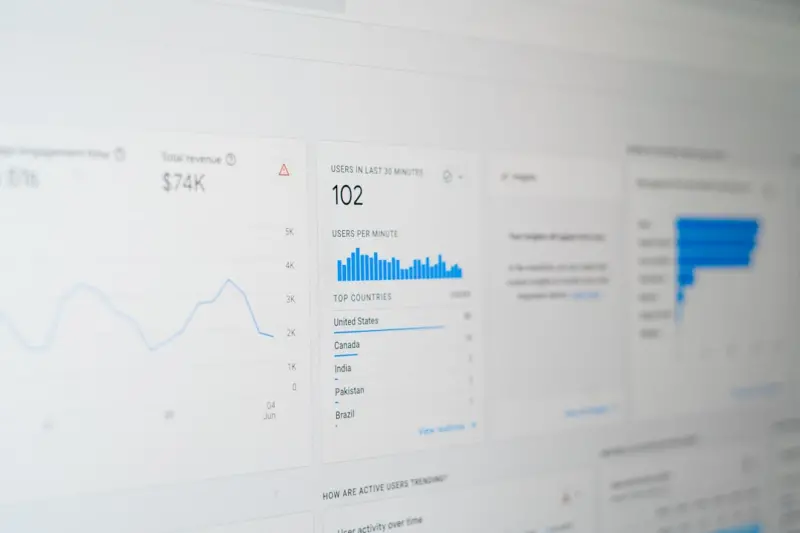
Set up a dashboard that pulls data from Google Analytics, Search Console, and your ticketing system. Look for correlations: a spike in a specific query’s ranking should correspond with fewer support tickets on that topic.
Future Trends: Visual Search & AI‑Enhanced Docs
The next wave of search is visual and conversational. Users are beginning to upload screenshots or diagrams and ask “what is this?” for SaaS interfaces. Preparing for visual search means adding alt text that describes UI elements and offering image sitemaps to help crawlers index screenshots.
On the AI front, generative models can draft initial help articles from product specifications, but human editors must refine them for accuracy and tone. Integrating AI‑generated snippets into your docs can accelerate content creation while keeping quality high.
For those eager to dive deeper, our structured data guide offers a step‑by‑step walkthrough of schema implementation, and the AI‑first SEO article explores how generative search is reshaping content strategy.
Getting Started: A 30‑Day Action Plan
To avoid overwhelm, break the initiative into bite‑size sprints:
- Week 1 – Audit & Map: Identify top 20 unanswered search queries that align with your product.
- Week 2 – Schema & Speed: Implement FAQ/How‑To schema on 10 high‑potential articles and run a performance audit.
- Week 3 – Content Production: Write or revamp the identified docs using the “Answer First” framework.
- Week 4 – Internal Linking & Measurement: Add contextual links from existing high‑traffic pages and set up dashboards to track the new metrics.
After the first month, review performance, iterate on the most promising pieces, and scale the process across your entire knowledge base.
Turning your SaaS knowledge base into an SEO powerhouse isn’t a gimmick—it’s a strategic lever that aligns product education with demand capture. By treating documentation as a living SEO asset, you not only attract qualified traffic but also empower users, reduce support costs, and accelerate the buyer journey.

Brody Lambert is an emerging freelance writer whose fresh voice and thoughtful approach are quickly making their mark. As a fairly new entrant in the world of freelance writing, Brody brings a blend of curiosity and dedication that fuels every project, crafting stories and content that resonate with authenticity and clarity.
Related Posts
Turning Feature Announcements into SEO Gold for SaaS
Feature releases can be more than a one‑off announcement. This guide shows SaaS teams how to turn ... Read More

Mining the Help Desk: Turning Support Tickets into SEO Gold for SaaS
Support tickets hold authentic user language that, when structured into FAQs, guides, and data‑dri... Read More

Turning SaaS Pricing Pages into SEO Engines
The pricing page isn’t just a sales checkpoint; it’s an untapped SEO powerhouse. Discover stepâ€... Read More
Top Posts
Passage Ranking Playbook: How SaaS Companies Can Capture More Real‑Estate in Google Search
Passage ranking lets Google surface specific paragraphs that answer niche queries. This playbook shows SaaS teams how to audit, create, and optimize those passa...Read More

The Power of Social Media: How to Leverage it for Your Business
Social media has become an essential tool for businesses, offering a range of opportunities for reaching new customers and building brand awareness. Learn how t...Read More

Authentic Connection: The New Power Move in Social Strategy
In a world dominated by algorithmic feeds, authentic human connection has become the secret weapon for brands seeking real engagement, loyalty, and sustainable ...Read More

Beyond Speed: Mobile‑First SEO Strategies SaaS Leaders Overlook
A deep dive into mobile‑first SEO for SaaS, covering content hierarchy, app‑store optimization, mobile‑specific schema, selective AMP use, and CRO tactics...Read More
0 Comments
Post Comment
You will need to Login or Register to comment on this post!