

Why Your SaaS Knowledge Base Is the Secret Weapon You’ve Been Ignoring
When I first joined the SEO team at a fast‑growing SaaS startup, my to‑do list looked like every other SEO playbook on the market: keyword research, backlink outreach, technical audits. I was chasing the usual suspects, but the growth curve still felt a little flat. The breakthrough came not from a new tool or a fresh set of keywords, but from a dusty folder labeled “Product Documentation.” That folder held the raw, high‑intent content that our users were already searching for—and it was screaming for a strategic lift.
From Support Articles to Search Magnets
Most SaaS companies treat their knowledge base as a post‑sale support channel. It’s where customers go when they hit a snag, and the content is written by engineers or product managers for internal consumption. The reality is that every how‑to guide, FAQ, and troubleshooting tip is a piece of highly relevant, long‑tail content that Google loves—provided it’s structured, indexed, and linked properly.
Here’s how I turned a modest knowledge base into a traffic engine that consistently delivered qualified leads:
- Audit the existing assets. I started with an inventory of every article, whitepaper, and internal guide. The goal was to surface high‑value pieces that already ranked for “buyer intent” queries but weren’t fully optimized.
- Map each piece to the buyer’s journey. Content that solves a technical error belongs at the bottom of the funnel, while a “getting started” guide is perfect for awareness.
- Apply a strategic internal linking framework. This is where Semantic Topic Clustering became my secret sauce. By grouping articles into tightly related clusters, I could signal topical relevance to search engines and guide users deeper into the site.
- Optimize for crawl efficiency. A sprawling knowledge base can overwhelm Googlebot, especially if duplicate URLs or thin pages are present. Leveraging Crawl Budget Mastery techniques ensured that our most valuable articles were prioritized.
- Automate the technical lift. Manual updates are a bottleneck. Integrating Automating Technical SEO into our CI/CD pipeline let us push schema, canonical tags, and redirects at scale.
The Power of Topic Clusters in a Knowledge Base
Think of a topic cluster as a mini‑website within your site. The pillar page addresses a broad problem—say, “How to integrate our API”—while supporting articles dive into specifics like “OAuth 2.0 token refresh” or “Webhooks error handling.” When users land on any of these pages, the internal linking signals a cohesive authority on the subject, boosting rankings for all related queries.
Implementing this for a SaaS knowledge base does two things:
- It consolidates link equity. Instead of each article competing for the same keywords, the pillar page becomes the primary ranking target, pulling in the collective backlink and social signals of the cluster.
- It enhances user experience. Visitors can seamlessly navigate from a symptom (“Why is my webhook failing?”) to a solution (“Diagnosing common webhook errors”) without bouncing back to the homepage.
Practical Steps to Build Your First Cluster
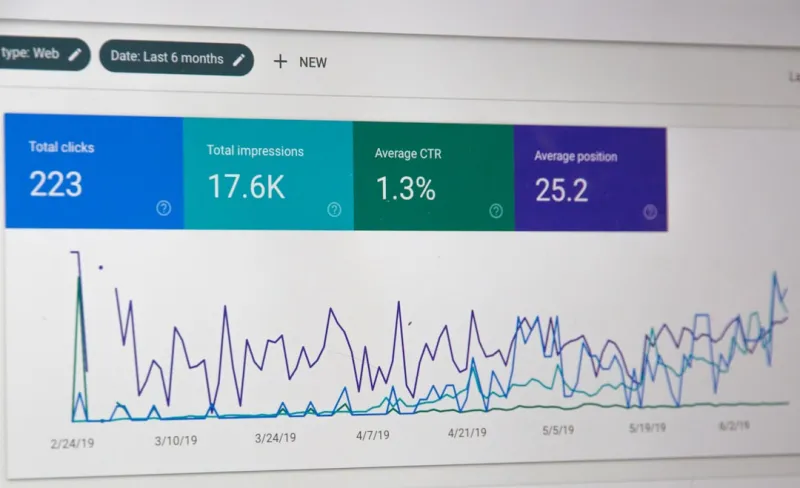
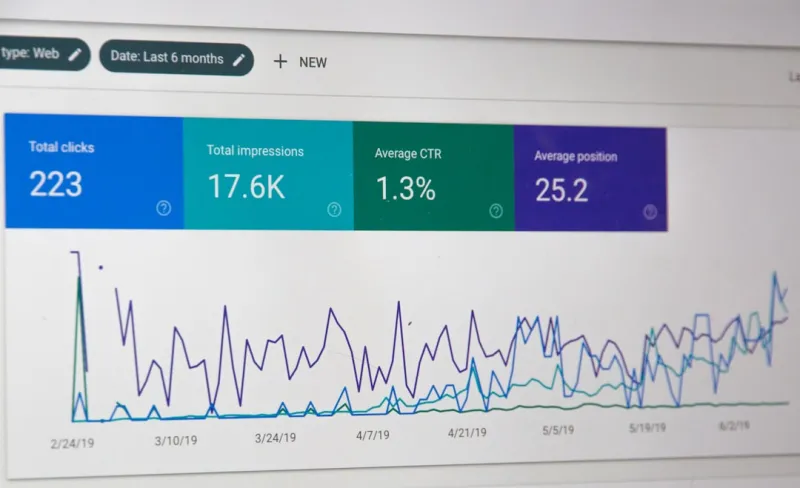
1. Identify a high‑value theme. Use search console data to find queries that generate the most clicks but have low rankings. For a SaaS product, this could be “data export API limits.”
2. Create a pillar page. Draft a comprehensive guide that covers the theme at a macro level. Use clear headings, a table of contents, and embed videos or diagrams where appropriate.
3. Develop supporting articles. Each subtopic becomes a standalone article linked back to the pillar. Keep each piece focused—no fluff, no duplicate content.
4. Implement schema. Use FAQPage and HowTo schema to give search engines a richer understanding of the content.
5. Monitor performance. Track rankings, impressions, and click‑through rates for both pillar and supporting pages. Adjust internal linking and on‑page signals as needed.
Balancing Technical SEO with Human Readability
Automation can’t replace the nuance of a well‑written article. While I love the efficiencies gained from CI/CD pipelines, I still spend time polishing the language, ensuring the tone matches our brand, and adding real‑world examples that resonate with our audience.
One mistake many SaaS teams make is over‑optimizing for search engines at the expense of the user. Keyword stuffing, excessive internal links, and hidden text can trigger algorithmic penalties. The sweet spot is a human‑first, search‑first approach: write for the person reading, then tweak for the bot crawling.
Leveraging User‑Generated Content (UGC) in Your Knowledge Base
Support tickets, community forum threads, and even social media questions are gold mines for fresh content ideas. By curating the most common user queries into searchable articles, you not only reduce support volume but also capture long‑tail search traffic.
Here’s a quick workflow I implemented:
- Set up a weekly export of the top 20 unanswered support tickets.
- Assign a technical writer to turn each ticket into a concise “How‑to” article.
- Publish the article in the knowledge base, cross‑link it to related clusters, and add structured data.
- Promote the new article via an in‑product notification and a brief social post.
Within a month, the average time to resolution dropped by 27%, and the newly published articles began ranking for previously unserved queries.
Measuring Success: The Metrics That Matter
Traditional SEO KPIs—organic traffic, keyword rankings, and backlinks—are still important, but a knowledge‑base‑centric strategy requires a few additional lenses:
- Help‑center sessions. An uptick in page views indicates that users are finding relevant solutions.
- Search‑to‑conversion rate. Track how many users who landed on a support article proceeded to sign up or upgrade.
- Support ticket deflection. Fewer tickets for topics covered in the knowledge base signal effective content coverage.
By aligning these metrics with revenue goals, you can clearly demonstrate the ROI of investing in SEO‑friendly documentation.
Scaling the Process Across Teams
Creating a high‑performing knowledge base isn’t a solo mission. It thrives on cross‑functional collaboration:
- Product managers provide accurate feature details and roadmap insights.
- Engineering helps validate technical steps and ensures code samples are up‑to‑date.
- Customer success surfaces real‑world use cases and pain points.
- Marketing amplifies the content through newsletters, webinars, and social snippets.
Establish a regular “content sync” meeting where each team contributes ideas for new articles, updates existing pieces, and reviews SEO performance. Over time, this becomes a self‑sustaining engine that fuels both user satisfaction and organic growth.
Future‑Proofing Your Knowledge Base
Search engines are evolving toward intent and experience. As we move deeper into AI‑driven search results, having a well‑structured, semantically rich knowledge base positions your SaaS product as an authoritative source. Consider these forward‑looking tactics:
- Implement FAQ schema at scale. This increases the chance of appearing in Google’s “People also ask” boxes.
- Use AI‑generated summaries. Tools like GPT can produce concise overviews for each article, enhancing snippet visibility.
- Adopt a headless CMS. Decoupling content from presentation lets you serve the same article to web, mobile, and in‑app experiences without duplication.
When you treat your knowledge base as a living, SEO‑optimized asset, you unlock a perpetual source of high‑intent traffic that aligns perfectly with the SaaS buyer’s journey.
Key Takeaways
- Every support article is a potential ranking page—don’t let it sit idle.
- Use Semantic Topic Clustering to group related content and boost authority.
- Optimize crawl budget with Crawl Budget Mastery tactics to ensure Google sees your best content first.
- Automate technical SEO tasks via CI/CD pipelines (Automating Technical SEO) for speed and consistency.
- Measure success beyond traffic—track help‑center sessions, ticket deflection, and search‑to‑conversion rates.
Ready to Turn Your Docs into a Demand Generator?
If you’ve been treating your knowledge base as a back‑office tool, it’s time for a paradigm shift. By marrying the rigor of SEO with the empathy of support content, you’ll create a self‑reinforcing loop: users find answers, Google sees expertise, and more qualified prospects land on the pages that convert. Start with a small cluster, automate the technical pieces, and watch the ripple effect across your SaaS growth funnel.

Becky Putman is an Ottawa-based freelance writer and marketing professional with a passion for storytelling, animals, and community involvement. She enjoys creating engaging content that informs, inspires, and connects with readers.
Related Posts

Turning Interactive Tools into SEO Powerhouses
Learn why building interactive tools is the next frontier in SEO, driving authority, traffic, and co... Read More

Intent‑First SEO: Building a Content Funnel That Guides Users From Curiosity to Conversion
Discover an intent‑first SEO roadmap that aligns keywords, content formats, and technical foundati... Read More
Empathy‑First SEO: Turning Rankings Into Real Connections
Learn why empathy is the new engine behind SEO, how to blend it with technical foundations, and acti... Read More
Top Posts

Beyond the Blue Box: Mastering SERP Micro‑Features for SaaS Growth
Discover why SERP micro‑features matter for B2B SaaS, how structured data can unlock them, and a step‑by‑step checklist to turn search snippets into highâ...Read More

The Future of SEO: Navigating the Ever-Changing Landscape
The future of SEO is complex and multifaceted. Learn how to navigate the ever-changing landscape and stay ahead of the competition with the latest trends and st...Read More

Social Listening as a Product Engine: Turning Real‑Time Conversations into SaaS Growth
Discover a fresh approach to social media that turns every tweet, comment, and community discussion into actionable product insights, lead magnets, and measurab...Read More
The Evolution of SEO: How to Stay Ahead in a Rapidly Changing Landscape
The evolution of SEO is a rapidly changing landscape. Learn how to stay ahead with the latest trends and best practices in technical SEO, content quality, and u...Read More
0 Comments
Post Comment
You will need to Login or Register to comment on this post!