

When I first joined a fast‑growing SaaS startup, my manager handed me a stack of case studies and told me to “make them rank.” I laughed, because case studies are usually buried under product pages, feature lists, and a maze of technical docs. Yet, those stories are gold mines for SEO—if you know how to mine them. In this post I’ll walk you through a systematic approach to turning your customer success narratives into searchable, shareable assets that not only attract traffic but also nurture leads.
Why Customer Success Stories Deserve Their Own SEO Strategy
They’re proof‑of‑concept in human form. Prospects often skim product specs and head straight to real‑world outcomes. A well‑crafted case study answers the “does this actually work?” question with data, quotes, and context.
Search engines have caught up. Google’s algorithm now values E‑E‑A‑T (Experience, Expertise, Authority, Trust). A detailed success story that showcases measurable results ticks every box, especially when it’s tied to a recognizable brand or industry.
But most SaaS teams treat case studies as static PDFs or hidden PDFs on a “Resources” page. That limits discoverability and squanders the SEO juice they could be generating. Let’s change that.
Step 1: Turn Raw Interviews into Structured, Crawl‑Friendly Content
Start with the raw interview transcript—audio or written. Pull out three core elements:
- The Challenge: What pain point did the customer face?
- The Solution: How did your product solve it?
- The Outcome: Quantifiable results (% growth, cost savings, time saved).
Structure the page with clear <h2> headings for each element. Use <ul> or <ol> lists to highlight key metrics. This hierarchy helps crawlers understand the narrative flow and makes the page skimmable for humans.
Example outline:
- Background
- The Challenge
- Implementation Journey
- Results & ROI
- What’s Next?
Don’t forget to embed <strong> tags around the most compelling numbers—Google often pulls those into featured snippets.
Step 2: Optimize for the “Problem‑Solution” Query Pattern
Prospects type queries like “how to reduce churn for SaaS,” “best way to automate onboarding,” or “case study on increasing LTV.” These are “problem‑solution” searches where they’re looking for proven methods.
To capture this traffic:
- Identify the primary keyword phrase (e.g., “reduce churn SaaS case study”).
- Place it in the
<title>, first 100 characters of the opening paragraph, and an<h2>heading. - Write a concise, answer‑style paragraph that directly addresses the query within the first 150 words.
When Google detects that you’ve answered a specific problem, the page becomes a candidate for the coveted “People Also Ask” box.
Step 3: Leverage Internal Linking to Boost Authority
Every case study should act as a hub that feeds link equity to other high‑value pages:
- Link back to the product feature pages you mention in the solution section.
- Reference related blog posts that dive deeper into a tactic you used.
- Connect to your knowledge base for technical details.
Here’s a practical example: If the case study highlights how a client used your API to automate reporting, embed a link to SEO secrets of API documentation. This not only helps users discover more content but also signals to Google that both pages are thematically related.
Step 4: Enrich With Structured Data
Google’s rich results aren’t limited to recipes and events. For SaaS case studies, you can use the Article schema and add reviewRating or aggregateRating fields if you have multiple testimonial scores.
A minimal JSON‑LD snippet looks like this:
{
  "@context": "https://schema.org",
  "@type": "Article",
  "headline": "How Acme Corp Cut SaaS Churn by 45% Using XYZ Platform",
  "author": {"@type": "Person", "name": "Kelly Reynolds"},
  "datePublished": "2023-07-15",
  "publisher": {"@type": "Organization", "name": "YourCompany"},
  "image": "https://example.com/case-study-thumbnail.jpg",
  "aggregateRating": {"@type":"AggregateRating","ratingValue":"4.9","reviewCount":"27"}
}
Validate your markup with Google’s Rich Results Test to avoid syntax errors.
Step 5: Amplify Through Social‑Data Loops
When a case study gets traction on LinkedIn, Twitter, or industry forums, that social buzz can send ranking signals back to the page. Capture these loops by:
- Embedding share buttons with UTM parameters.
- Encouraging the featured client to repost on their channels.
- Monitoring mentions using a tool like Brandwatch and linking back to the original case study.
For a deeper dive on turning conversation data into SEO wins, check out social‑data loops.
Step 6: Repurpose the Content Across Formats
One case study can spawn multiple SEO assets:
- Slide deck: Upload to SlideShare with keyword‑rich titles.
- Video interview: Host on YouTube, include timestamps in the description, and embed the video on the case study page.
- Infographic: Summarize key metrics; embed with
alttext containing target keywords. - Podcast episode: Discuss the success story, link back in the show notes.
Each format creates a new entry point for search engines and audiences alike, multiplying your organic reach.
Step 7: Measure, Iterate, and Scale
Set up a dedicated dashboard that tracks:
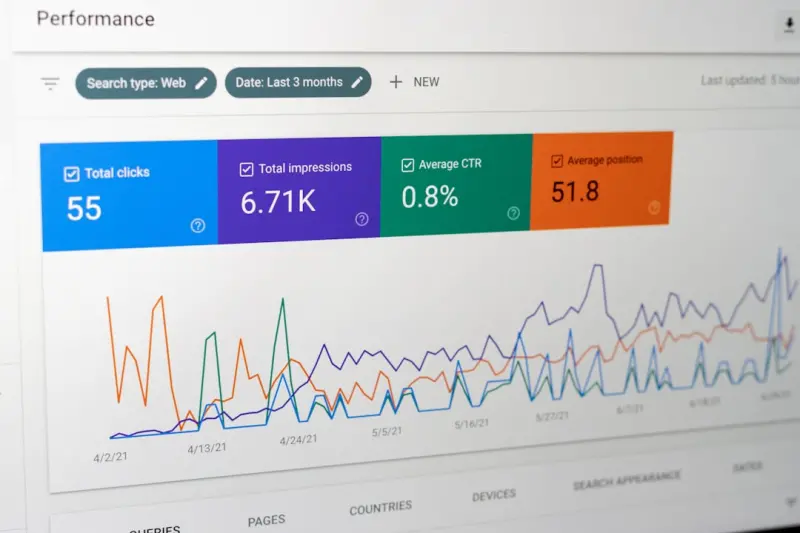
- Organic impressions and clicks (Google Search Console).
- Average position for target “problem‑solution” keywords.
- Engagement metrics: time on page, scroll depth, and conversion rate.
- Backlink acquisition from repurposed assets.
If a case study consistently ranks on page 1 for “reduce churn SaaS case study,” replicate its structure for other industries. Conversely, if a page stalls, revisit the headline, add more data points, or boost internal linking.
Step 8: Align With Product‑Centric Link Building
When you publish a case study that showcases a unique product feature, reach out to niche blogs or industry publications and pitch the story as a “real‑world application” of that feature. This approach dovetails with product‑centric link building, turning your success story into a natural backlink magnet.
Common Pitfalls (And How to Avoid Them)
- PDF‑only case studies: Search engines can’t read PDFs as effectively as HTML. Always provide a web‑friendly version.
- Over‑optimizing keywords: Sprinkle keywords naturally; forced repetition can trigger a penalty.
- Neglecting mobile usability: Even though we’ve covered mobile SEO elsewhere, remember that case study pages must load fast and be finger‑friendly.
- Skipping client approvals: Get a sign‑off on data and quotes. A delayed approval can stall publishing and lose timely SEO momentum.
Putting It All Together: A Mini‑Checklist
- ✅ Extract challenge, solution, outcome; structure with
<h2>tags. - ✅ Identify primary “problem‑solution” keyword and place it strategically.
- ✅ Add internal links to related product and blog pages.
- ✅ Implement
Articleschema with rating data. - ✅ Enable social sharing and monitor mentions.
- ✅ Repurpose into at least two additional formats.
- ✅ Track performance and iterate monthly.
By treating each customer success narrative as a SEO‑first asset, you’ll not only boost organic traffic but also create a library of credible proof that moves prospects through the funnel faster. The next time you hear “we have a great case study,” don’t tuck it away—bring it to the front stage of your SEO strategy.

Kelly Reynolds is a dynamic freelance writer hailing from the picturesque landscapes of Alberta. A master of the written word, she juggles her passion for storytelling with the exhilarating chaos of being a mother to five spirited children. With an impressive portfolio that spans various genres, Kelly captivates readers through her engaging blog posts and thought-provoking articles.
Related Posts
Zero‑Click Search Domination: Capture Rankings When Users Never Click
Discover a step‑by‑step framework to capture traffic from featured snippets, FAQs, and “People... Read More
Zero-Click Search: How to Capture Rankings When Users Skip the Click
Zero‑click search is reshaping visibility. Learn practical tactics to earn featured snippets, rich... Read More

From Clicks to Commitment: SEO Strategies That Drive SaaS Subscriptions
Learn how to align SEO with the subscription funnel, prioritize high‑value keywords, craft convers... Read More
Top Posts

Beyond Keywords: How AI Prompt Engineering Is Reshaping SaaS SEO
This post explores how SaaS marketers can leverage AI prompt engineering to create SEO‑optimized content that aligns with user intent, improves technical SEO,...Read More
How Private B2B Communities Turn Conversations into Conversions
Private B2B communities shift social strategy from noisy broadcasting to focused dialogue, delivering trust, product feedback, and high‑quality leads—all wi...Read More

LinkedIn Mastery: A SaaS Playbook for Social Growth
Learn to turn LinkedIn into a powerful SaaS growth engine with authentic content, community engagement, and analytics‑driven optimization—plus real‑world ...Read More

Why Short‑Form Video Communities Are the New Growth Engine for B2B Brands
Short‑form video isn’t just for TikTok dances—B2B marketers can use reels and TikTok clips to capture decision‑maker attention, shorten sales cycles, an...Read More
0 Comments
Post Comment
You will need to Login or Register to comment on this post!