

Why SaaS Developer Portals Need a Dedicated SEO Strategy
When most SaaS marketers think SEO, the mind instantly jumps to blog posts, landing pages, and product feature pages. Rarely does the conversation drift toward the very heart of a SaaS product that powers growth for developers: the developer portal. Whether it’s an API reference, SDK download center, or a sandbox environment, these resources are often the first (and sometimes only) touchpoint for technical buyers. Yet, they’re frequently built without a clear visibility plan, leaving a massive pool of organic traffic untapped.
In my years of helping B2B SaaS companies turn complex technical content into lead‑generating assets, I’ve seen a recurring pattern: teams treat the developer portal as a “closed‑door” experience, optimized for usability but ignored by the search engines. The reality? Search engines love well‑structured, technically rich content—they just need the right signals to surface it. This article walks you through a practical, step‑by‑step SEO framework for SaaS developer portals, from architecture to analytics, so you can start capturing qualified, intent‑driven traffic without compromising the developer experience.
1. Map the Technical Buyer’s Journey to Search Intent
Unlike a typical B2C funnel, the technical buyer’s journey is a blend of research, evaluation, and implementation phases, each with distinct intent signals. Start by answering three core questions for each type of developer‑facing content:
- What problem are they trying to solve? e.g., “How do I integrate payment processing?”
- What stage of the product lifecycle are they in? e.g., “Looking for a quick‑start guide” vs. “Troubleshooting error 401”
- Which keywords reflect that intent? e.g., “SaaS X API tutorial”, “SaaS X webhook example”, “SaaS X SDK download”.
By aligning each piece of documentation with a clear search intent, you create a roadmap that not only guides your SEO efforts but also ensures that developers find exactly what they need—when they need it.
2. Engineer a Crawl‑Friendly Site Architecture
Search engines thrive on logical hierarchies. For a developer portal, think in terms of product → version → resource type → specific item. A typical structure might look like:
/api/               (top‑level API overview)
/api/v1/            (v1 docs)
/api/v1/reference/  (endpoint reference)
/api/v1/reference/payments
/api/v2/...
/sdk/               (SDKs for various languages)
/sdk/python/
/sdk/java/
Key tactics:
- Consistent URL patterns: Use lowercase, hyphens, and avoid query strings for core docs.
- Sitemap submission: Generate an XML sitemap that includes every reference page, tutorial, and code sample.
- Breadcrumbs: Implement schema‑enabled breadcrumbs to reinforce the hierarchy and improve click‑through rates from SERPs.
When you pair a clean architecture with Zero‑Click SERP Features insights, you can even capture “quick answer” slots for common coding questions, driving brand visibility without a single click.
3. Harness Structured Data for Code‑Heavy Content
Search engines have become sophisticated at understanding code blocks, error messages, and API schemas. Leverage schema.org types such as TechArticle, SoftwareSourceCode, and Question/Answer to surface:
- Code snippets that appear directly in search results.
- FAQ‑style boxes for common error codes.
- Rich results that highlight version numbers and deprecation dates.
Implementation tip: add JSON‑LD to each page that includes the about property (e.g., “payment processing”), the programmingLanguage, and the codeRepository URL. This not only boosts discoverability but also signals to Google that your content is a reliable technical resource.
4. Optimize for Core Web Vitals and Developer‑Focused Performance
Developers are impatient. A heavy documentation site riddled with large PDFs or unnecessary scripts will see high bounce rates, which in turn hurts rankings. Prioritize performance:
- Lazy‑load code blocks and interactive demos.
- Compress all assets—use
gziporbrotli. - Leverage a CDN for global latency reduction, especially for large binary SDK downloads.
- Audit with Lighthouse to ensure LCP < 2.5 s, FID < 100 ms, and CLS < 0.1.
When you combine performance with an SEO‑first mindset, you’re not just ticking a box; you’re delivering the kind of user experience that both developers and search engines reward.
5. Create “Content Clusters” Around Core API Themes
Content clusters are a proven method for signaling topical authority, and they work exceptionally well for API docs. Identify pillar topics—such as “Authentication”, “Webhooks”, “Data Export”—and build a network of related pages:
- Pillar page: A high‑level guide (e.g., “Authentication Overview”).
- Cluster pages: Detailed how‑to articles, example code, and best‑practice checklists.
- Internal linking: Ensure every cluster page links back to the pillar with descriptive anchor text, and vice‑versa.
For an extra boost, read the AI‑Powered Content Clusters playbook to see how machine‑learning can help you identify emerging sub‑topics and generate concise summaries for each cluster.
6. Leverage Community‑Generated Q&A for Long‑Tail Keywords
Many SaaS companies host forums or integrate with platforms like Stack Overflow. These community discussions often contain the exact phrasing developers type into Google. Instead of letting this content sit in a silo, pull the most valuable Q&A into your portal, enrich them with structured data, and cross‑link to the relevant API reference. This approach:
- Captures high‑intent long‑tail queries (“how to paginate results in SaaS X”).
- Builds trust by showing real‑world use cases.
- Generates fresh, user‑authored content without additional copy‑writing overhead.
7. Implement a Robust Internal Linking Strategy
Internal links are the highways that pass link equity throughout your site. For developer portals, adopt two complementary patterns:
- Contextual links: Within a code example, link to the corresponding endpoint reference or SDK download.
- Navigation links: Use a sidebar or “Related Topics” section that surfaces pillar‑cluster relationships.
Remember to use descriptive anchor text—avoid generic “click here”. Phrases like “fetch customer data with the /customers endpoint” give both users and search engines clear context.
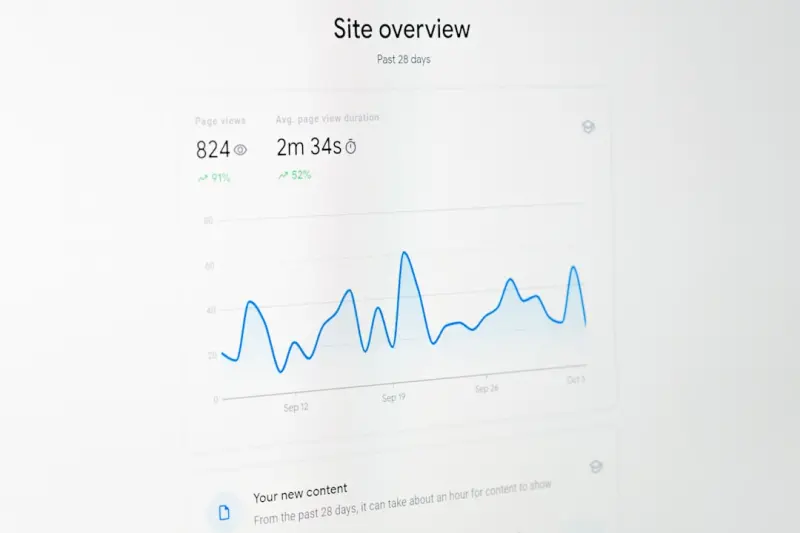
8. Track the Right Metrics and Iterate
SEO for technical content demands a slightly different KPI set:
- Organic Sessions to Developer Docs: Measure traffic growth from organic search to your /api and /sdk sections.
- Search‑to‑Signup Ratio: Track how many developers who landed on a tutorial eventually signed up for a trial.
- Engagement Time on Docs: Longer dwell times signal content relevance.
- Error‑Page Crawl Rate: Monitor 404s for outdated version URLs and set up proper redirects.
Set up Google Search Console filters for the /api and /sdk directories, and use custom events in your analytics platform to capture actions like “download SDK” or “run sandbox example”. Regularly review this data to identify under‑performing pages and prioritize them for optimization.
9. Future‑Proof with API Versioning and Deprecation SEO
API versions evolve, and old documentation can become a liability if it continues to rank while no longer being supported. Implement a deprecation strategy that:
- Redirects old version URLs to the latest stable version with a 301 redirect.
- Uses a clear “Deprecated” badge on the page, along with a link to the updated docs.
- Updates the sitemap to reflect active versions only.
This not only preserves link equity but also safeguards developers from chasing dead‑ends—a win‑win for SEO and user trust.
10. Promote Your Docs Through Amplification Channels
SEO isn’t a siloed effort. Amplify high‑value pages by:
- Sharing tutorial snippets on LinkedIn and X with a link back to the full guide.
- Embedding “How‑to” videos on YouTube and linking the transcript to the corresponding doc page.
- Encouraging product managers to reference the docs in webinars (cross‑link back to the portal).
These signals create additional inbound links, further reinforcing the authority of your developer portal.
Putting It All Together: A 90‑Day Action Plan
Week 1‑2: Audit & Mapping
- Run a full crawl of the portal (Screaming Frog, Sitebulb).
- Document existing URL structures, identify orphan pages, and map content to search intent.
Week 3‑4: Architecture & Structured Data
- Implement a consistent hierarchy and update the XML sitemap.
- Add JSON‑LD for key pages (TechArticle, Question/Answer).
Week 5‑6: Performance & Core Web Vitals
- Audit page load speeds; lazy‑load code samples; enable CDN for SDK assets.
Week 7‑8: Content Clusters & Internal Linking
- Create pillar pages for the three most‑searched API themes.
- Link every cluster page back to its pillar with clear anchor text.
Week 9‑10: Community Q&A Integration
- Identify top 20 community questions; publish as “Community‑Answered” articles.
- Mark them up with FAQ schema.
Week 11‑12: Measurement & Optimization
- Set up Search Console filters and custom dashboards.
- Review traffic, engagement, and conversion metrics; iterate on under‑performing pages.
By the end of this sprint, you should see a measurable uptick in organic sessions to your developer resources, a higher conversion rate from tech‑focused visitors, and a more resilient SEO foundation that can scale as your product evolves.
Final Thoughts
Developers are searching for solutions the same way marketers are, but the language they use—and the expectations they have—are far more precise. Treat your developer portal as a first‑class SEO asset: map intent, structure for crawlers, enrich with schema, and keep performance at the forefront. When you do, you’ll not only attract a higher volume of qualified traffic but also empower developers to succeed faster, which ultimately fuels product adoption and reduces churn.

Miranda Murphy is a Staff Writer at Domain Authority and an experienced freelance writer with a decade of storytelling expertise helping brands convert complex ideas into high-impact content.
Related Posts

Unlocking the SEO Power of Podcasts: A Strategic Playbook for Audio Dominance
Learn the step‑by‑step SEO strategy that transforms every podcast episode into a searchable, tra... Read More
Turn Your SaaS Pricing Page Into an SEO Powerhouse
A step‑by‑step guide shows why a SaaS pricing page is a hidden SEO goldmine and how to turn it i... Read More

Conversational SEO: Winning the AI Assistant Race
Discover why optimizing for AI assistants and voice search is essential for B2B SaaS, and get a step... Read More
Top Posts

Crafting a Future‑Ready Social Strategy That Grows With Your Audience
Learn how to build a living social strategy that blends data, storytelling, and real‑time feedback to turn audiences into co‑creators and fuel sustainable b...Read More

Riding the SERP Waves: Predicting and Profiting from Ranking Volatility
Discover a data‑driven framework to forecast SERP swings, respond with agile SEO moves, and amplify positive shifts—turning ranking volatility from a risk i...Read More

Cracking Google’s AI Search: A SaaS‑First SEO Blueprint
The post outlines a step‑by‑step strategy for SaaS marketers to adapt to Google’s AI Search, focusing on promptable content, knowledge graph architecture,...Read More

Tom Ferguson’s 2024 Link‑Building Playbook: Strategies That Actually Move the Needle
Tom Ferguson reveals a 2024 link‑building playbook that blends digital PR, personalized outreach, and data‑driven ROI, showing how to earn high‑quality ba...Read More
0 Comments
Post Comment
You will need to Login or Register to comment on this post!