

Why Mobile Apps Need Their Own SEO Playbook
When Google announced that it can crawl and index mobile applications, the SEO landscape quietly shifted from screens to native experiences. App indexing means that the content inside your iOS or Android app can appear alongside traditional web pages in search results, giving you a brand‑new SERP real‑estate that most competitors ignore. However, the opportunity is only as valuable as the infrastructure you put behind it, and that starts with a clear, mobile‑first mindset that treats your app as an extension of your website rather than a siloed product.
Understanding Google’s App Indexing Signals
Google relies on two primary signals to surface app content: the App Indexing API and the Digital Asset Links (DAL) verification file that ties your web domain to the app’s package identifier. The API pushes URLs from your app to Google’s index, while the DAL file, hosted at /.well‑known/assetlinks.json, proves ownership and prevents malicious actors from hijacking your brand. Together, they create a trust bridge that allows Google to rank app pages, show deep link results, and even surface “app install” cards directly in the mobile SERP.
Preparing Your App Manifest and Schema.org Markup
The first technical step is to ensure your Web App Manifest accurately reflects your app’s name, start URL, icons, and display preferences, because Google pulls this data when evaluating relevance. Next, embed structured data using schema.org types such as MobileApplication, AppStore, and SoftwareApplication on the corresponding web landing pages. These markup blocks provide Google with explicit information about platform, version, and download links, which boosts the likelihood that your app will appear in rich results and the “App” carousel on mobile devices.
Implementing Digital Asset Links for Verification
Creating a valid assetlinks.json
file involves listing the SHA‑256 fingerprint of your signing certificate alongside the package name and the relationship “delegate_permission/common.handle_all_urls.” Once uploaded, you can test the file with Google’s Asset Links Verification Tool to confirm that Google can successfully resolve the trust relationship. A common misstep is forgetting to update the fingerprint after rotating your signing key, which instantly breaks the verification chain and disables app indexing until corrected.
Leveraging Structured Data for Rich App Results
Beyond the basic schema, consider adding DeepLinking properties that map specific in‑app actions to web URLs, enabling Google to surface precise “Open in App” links for search queries like “track my order.” Additionally, the offers and aggregateRating properties can enrich your app’s presence in the “App” carousel, driving higher click‑through rates from users seeking trustworthy solutions. Remember to keep the JSON‑LD snippets compact—Google truncates overly verbose markup, which can dilute the impact of your most important signals.
Designing a Deep Linking Strategy That Serves Users and Search Engines
A successful deep linking plan balances user experience with SEO value: map high‑traffic web pages to their native equivalents, and create fallback URLs that gracefully redirect users without the app installed. Use deferred deep links to capture the original intent after the install flow, ensuring that the user lands exactly where they expected. From an SEO perspective, each deep link should be a unique, indexable URL with its own title tag, meta description, and schema to maximize discoverability.
Measuring Success with Search Console and Mobile Analytics
Once your app is indexed, the Google Search Console “App Indexing” report shows impressions, clicks, and average position for app URLs, giving you a clear picture of performance. Pair this data with mobile app analytics platforms—such as Firebase or Adjust—to track post‑click behavior, session depth, and conversion events that originated from organic search. By correlating Search Console metrics with in‑app actions, you can identify which deep links drive the highest ROI and refine your content strategy accordingly.
Common Pitfalls and How to Troubleshoot Them
Many marketers stumble on three recurring issues: missing or malformed assetlinks.json, mismatched package names between web and app, and insufficient structured data on landing pages. Use Google’s edge functions to serve a dynamic verification file that adjusts to multiple package signatures, eliminating the need for manual updates. Additionally, run regular crawls with the Mobile-Friendly Test and Rich Results Test to catch indexing errors before they affect rankings.
Future Outlook: Integrating App Indexing with Emerging Mobile Trends
As voice assistants, augmented reality, and AI‑driven search become mainstream, the line between web and app content will blur even further. Preparing your app for App Indexing today positions you to capitalize on upcoming features like contextual deep links triggered by voice queries or AR experiences launched directly from SERPs. By treating your app as a searchable asset—complete with robust schema, verified ownership, and measurable deep links—you ensure that your brand remains visible wherever users search, on any device.

Lifan Chen is a freelancer based in Toronto specializing in marketing. With expertise in crafting effective marketing strategies and campaigns, Lifan helps businesses grow their brand presence and reach target audiences. As a Toronto-based freelancer, Lifan combines local market insights with creative marketing skills to deliver tailored solutions for clients.
Related Posts

Human‑Centric Mobile SEO: Turning Tiny Screens into Trust Engines
Explore the shift to human‑centric mobile SEO, where intent, speed, and authentic connections turn... Read More

The Evolution of Mobile SEO: Strategies to Stay Ahead
The world of search engine optimization (SEO) is constantly evolving, and one of the most significan... Read More

App Indexing & PWAs: The Real Mobile SEO Edge for SaaS
A deep dive into leveraging app indexing and PWAs to transform mobile SEO for SaaS, covering practic... Read More
Top Posts

The Impact of Artificial Intelligence on Technical SEO
Artificial intelligence is revolutionizing Technical SEO, and its impact will only continue to grow. Learn how to harness the power of AI to drive more traffic ...Read More
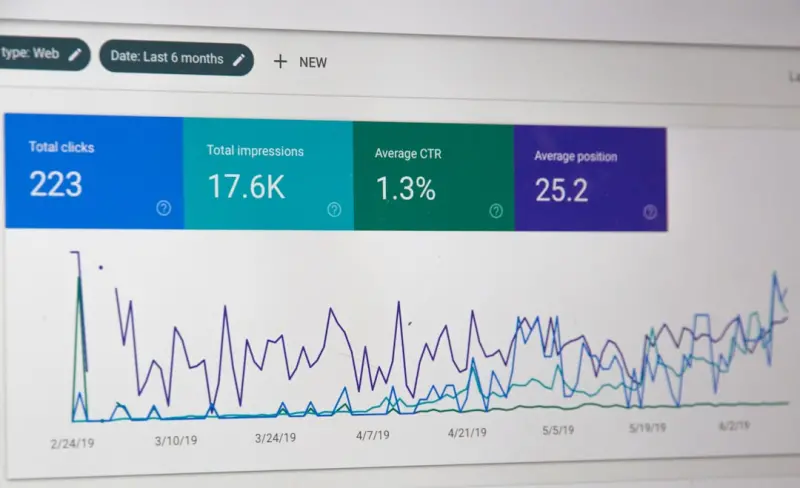
Unlocking Crawl Efficiency: A Technical SEO Blueprint for SaaS
This post outlines a data‑driven framework for SaaS sites to audit and improve crawl budget, eliminate duplicate URLs, strengthen internal linking, and accele...Read More

Link Building Reimagined: Turning Empathy into Authority
Learn why modern link building thrives on empathy, authentic outreach, and strategic content that earns genuine, high‑quality backlinks....Read More
The Mobile-First Revolution: How Mobile SEO is Changing the Game
Mobile SEO is revolutionizing the digital marketing landscape. Learn how to optimize your website for mobile devices and stay ahead of the curve with the latest...Read More
0 Comments
Post Comment
You will need to Login or Register to comment on this post!