

Every SaaS founder I know spends a disproportionate amount of time polishing the product, courting investors, and chasing the next growth hack. Meanwhile, the treasure trove sitting on the back‑office desk—customer support tickets, chat logs, and help‑center queries—gets filed away, often never to see the light of day. What if I told you that this overlooked data can become your most potent SEO engine?
The hidden SEO potential of support interactions
Support tickets are raw, user‑generated language that captures the exact phrasing of real‑world problems. Search engines love this because it aligns perfectly with the semantic intent behind a query. When you mine this data and repurpose it into structured content—FAQs, knowledge‑base articles, blog posts—you’re essentially handing Google a pre‑validated map of the questions your audience is already asking.
But there’s a catch: most SaaS teams treat support content as a silo, optimized only for internal efficiency. By elevating it to a public, SEO‑centric asset, you unlock several benefits:
- Long‑tail keyword dominance. Support tickets often contain highly specific phrasing that isn’t covered by generic keyword research tools.
- Authority through problem‑solving. Search engines reward content that solves a problem thoroughly and quickly.
- Reduced content creation overhead. You’re reusing existing material instead of starting from scratch.
Step 1 – Capture the gold: Centralizing support data
The first order of business is to aggregate all customer‑facing communications into a single, queryable repository. Whether you use Zendesk, Intercom, Freshdesk, or a custom ticketing system, export the text, timestamps, and metadata (product version, customer segment, severity). Store this in a searchable data lake—think Snowflake, BigQuery, or even a well‑indexed Elasticsearch index.
Once the data lives in a queryable environment, you can apply basic analytics: identify the most frequent question clusters, spot emerging pain points, and flag topics that repeatedly surface across multiple customers. This is where data‑driven SEO begins.
Step 2 – Turn raw queries into semantic clusters
Support tickets are rarely clean. Users write in shorthand, misspell, or use jargon unique to their industry. Apply natural language processing (NLP) models—like OpenAI’s embeddings or Google’s Universal Sentence Encoder—to vectorize the queries. Then run a clustering algorithm (k‑means, hierarchical clustering) to surface the dominant themes.
Each cluster becomes a candidate topic cluster for your SEO strategy. Unlike generic industry topics, these clusters are proven demand signals from your own user base. For example, a SaaS that provides project‑management tools might discover a cluster around “how to migrate tasks from Asana to X”. That phrase is a gold mine because it indicates an intent that is both high‑value and low‑competition.
Step 3 – Build SEO‑optimized assets around each cluster
Now it’s time to transform each semantic cluster into a content asset that satisfies both users and search engines:
- FAQ pages. Use the exact question phrasing from tickets as
<h3>headings, followed by concise, step‑by‑step answers. Mark them up withFAQPageschema to earn rich results. - How‑to guides. Expand the most complex tickets into long‑form tutorials, complete with screenshots, video snippets, and downloadable assets. Link these guides to relevant product pages to boost internal link equity.
- Blog posts with original research. Aggregate anonymized stats from the tickets (e.g., “X% of users struggle with X integration”) and publish a data‑driven post. This not only drives traffic but also invites natural backlinks.
When you publish, remember to include the exact language users typed—this signals relevance to Google’s algorithm, which now heavily weighs the match between query phrasing and on‑page content.
Step 4 – Amplify reach with strategic internal linking
Every newly minted support‑derived asset should be woven into your site’s internal linking structure. Use a hub‑and‑spoke model where the core product page (the hub) links out to relevant FAQs and guides (the spokes). This distributes link juice and helps search engines crawl deeper, indexing the new pages faster.
For a practical example of how internal linking can turbocharge SEO, check out our Co‑Marketing Partnerships: A Fresh Path to High‑Quality Links. The same principles apply: strategic, contextual links beat random link farms any day.
Step 5 – Measure, iterate, and scale
SEO is not a set‑and‑forget discipline. After publishing your support‑based assets, monitor three key metrics:
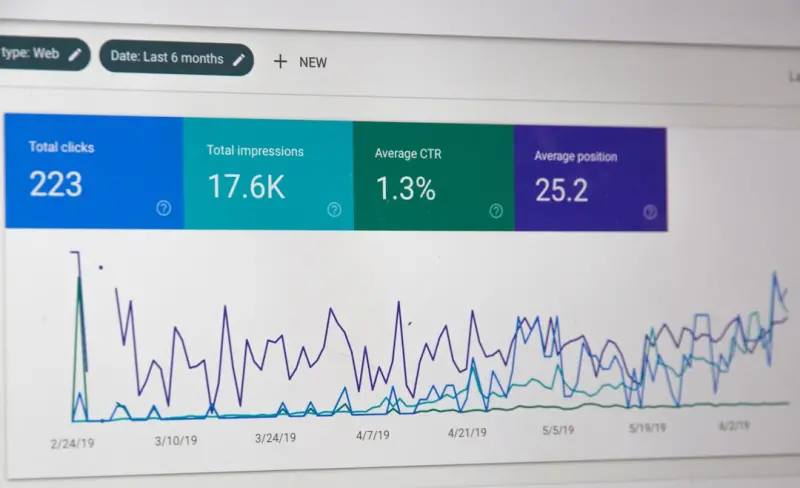
- Impressions and clicks. Use Google Search Console to see which queries trigger your pages.
- Engagement. Bounce rate and dwell time indicate whether the content truly solves the problem.
- Conversion pathways. Track how many visitors move from a help article to a free‑trial signup or a demo request.
When a page underperforms, revisit the originating tickets. Maybe the question was phrased differently, or the answer needs a more visual component. Iterate quickly, and the SEO gains compound.
Step 6 – Internationalize your support‑derived SEO
If you serve a global audience, you already have a multilingual support pipeline. Export tickets in each language, repeat the clustering process, and produce localized FAQs and guides. This approach dovetails nicely with Cross‑Border SEO: A SaaS Founder’s Blueprint for Global Growth, which emphasizes the importance of native‑language content for international rankings.
Because the queries come directly from your users, you sidestep the guesswork of translating generic keyword lists. You get authentic, high‑intent phrases that native speakers are actually searching for.
Common pitfalls and how to avoid them
1. Publishing raw support tickets. Never post a ticket verbatim without sanitizing personal data. Anonymize names, company details, and any proprietary information before publishing.
2. Ignoring content freshness. Support topics evolve as your product releases new features. Set a cadence—quarterly or with every major release—to review and update the corresponding SEO assets.
3. Over‑optimizing for exact match. While mirroring user phrasing is vital, avoid keyword stuffing. Write naturally, and let the search engine see the semantic relevance.
Why this strategy works for SaaS
SaaS businesses thrive on solving specific problems for a defined user base. Support tickets are the purest expression of those problems. By converting them into SEO assets, you align your content marketing with the very heart of your product‑market fit. Moreover, the approach scales effortlessly: as your support volume grows, so does your pool of SEO‑ready topics.
In my experience, teams that treat support as a content engine see a 30‑50% lift in organic traffic within six months, without hiring additional writers. The secret isn’t magic—it’s systematic mining of data you already own.
Getting started today
Ready to turn your help desk into a traffic magnet? Here’s a quick 7‑day action plan:
- Export the last 30 days of tickets into a CSV.
- Run a simple keyword extraction script (Python’s
RAKEorspaCywill do). - Identify the top 10 recurring questions.
- Draft concise FAQ entries, add schema markup, and publish them under
/support/faq. - Link each FAQ from relevant product pages.
- Submit the new URLs to Google Search Console.
- Monitor impressions for two weeks and iterate on the lowest performers.
It’s a lightweight pilot that delivers measurable SEO value while simultaneously improving the self‑service experience for your customers.
Final thoughts
SEO has moved beyond generic keyword lists and link‑building tricks. The modern algorithm rewards relevance, authority, and user intent—attributes that sit at the core of every support interaction. By institutionalizing a process that harvests, refines, and publishes support‑driven content, you create a self‑reinforcing loop: better answers reduce support volume, while richer public content fuels organic growth.
So next time you’re frustrated by a flood of tickets, remember: each one is a potential ranking signal waiting to be unleashed. Harness that signal, and watch your SaaS climb the SERPs—one answered question at a time.

William Roy is a freelance writer originally from Montreal who moved to Ottawa with his wife of 50 years to be closer to their grandkids. Alongside his writing, William has a passion for fishing.
Related Posts

Semantic Clustering: How AI‑Driven Topic Maps Future‑Proof Your SEO
Learn to build AI‑driven semantic clusters, measure their impact, and stay ahead of search engine ... Read More

Optimizing for AI‑Generated Search Snippets: A New SEO Frontier
Discover the rise of AI‑generated search snippets and practical strategies—structured data, topi... Read More
Interactive Content Strategies: Boosting SEO with Quizzes, Calculators & Gamified Experiences
Learn why interactive quizzes, calculators, and gamified tools are the new SEO powerhouses, driving ... Read More
Top Posts

Local SEO in 2024: Navigating the Evolving Landscape
Local SEO is critical for businesses with physical locations. Learn the latest trends and best practices for dominating local SEO in 2024 and driving more traff...Read More

Why Subscription Boxes Are the Secret Engine Driving Modern eCommerce Growth
Subscription boxes aren’t just a fad—they’re a powerful growth catalyst. Learn how to curate, fulfill, and market recurring orders to build lasting custom...Read More

From Noise to Conversation: Crafting an Empathy‑First Social Strategy
Learn how an empathy‑first approach transforms social media noise into authentic conversations, turning followers into loyal customers and fueling sustainable...Read More

When Shoppers Try Before They Buy: The Rise of Augmented Reality in eCommerce
Augmented reality is reshaping online shopping by letting customers visualize products in real life before purchasing, leading to higher conversion rates, fewer...Read More
0 Comments
Post Comment
You will need to Login or Register to comment on this post!