
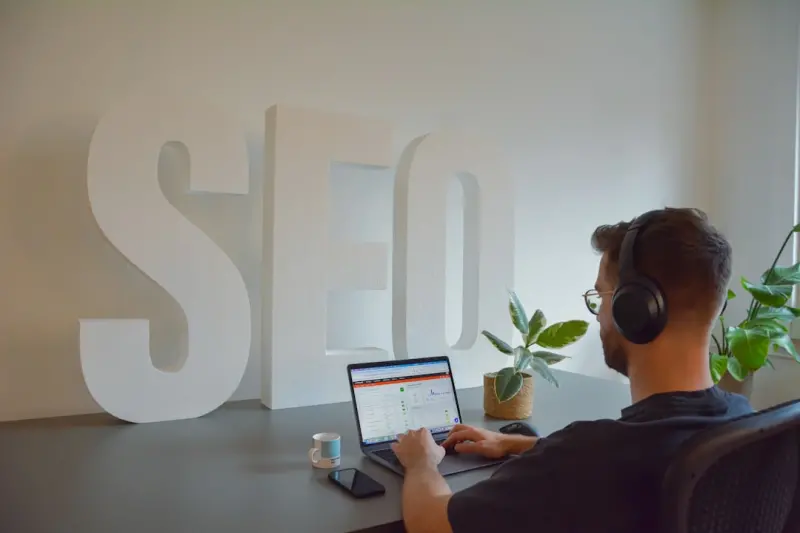
Why Your SaaS Webinars Are the Secret Weapon You’ve Been Ignoring
When I first started recording webinars for our product, the goal was simple: educate prospects, answer live questions, and drive a few qualified leads. Fast‑forward a few months, and I realized those same recordings were silently humming a second, far more powerful engine—organic search. If you’ve ever felt your SEO strategy was stuck in a loop of blog posts and keyword lists, it’s time to look at the video vault you’ve been building in the background.
The hidden SEO value of a webinar
Webinars are essentially long‑form, high‑intent content. Attendees are already in a buying mindset, and the topics they’re watching align closely with the problems they’re trying to solve. Search engines love this kind of relevance, but they need a way to understand it. That’s where a few strategic tweaks turn a single 45‑minute video into dozens of discoverable assets.
- Keyword‑rich titles and descriptions. The moment you upload a webinar to YouTube, Vimeo, or your own LMS, you have a chance to embed primary and secondary keywords in the title, meta description, and tags. Treat the video like a landing page—think about the exact phrase a prospect might type into Google.
- Transcripts are gold. Search crawlers can’t watch a video, but they can read text. By publishing a full transcript, you instantly create a massive block of searchable content that Google can index. This is the single most effective way to make the entire webinar visible in SERPs.
- Segmented clips. Break the full recording into bite‑size, topic‑focused clips. Each clip can have its own title, description, and thumbnail, effectively multiplying the number of pages that can rank.
- Schema markup. Use
VideoObjectandFAQPageschema to signal to Google the context of the content, boosting the chances of appearing in video carousels and rich snippets.
Step‑by‑step: Turning a webinar into an SEO powerhouse
Below is the workflow I now follow for every live event, from promotion to post‑event SEO amplification.
1. Pre‑production keyword research
Before you even pick a speaker, spend an hour in your keyword tool identifying the exact phrases your target accounts are searching for. Look for long‑tail queries that match the pain points you’ll address. Add these terms to a shared webinar brief and make sure the speaker naturally weaves them into the discussion.
2. Optimized landing page
The registration page is your first SEO foothold. Include the primary keyword in the H1, meta title, and URL slug. Use a concise, compelling meta description (under 160 characters) that teases the value. And don’t forget a clear call‑to‑action that tells visitors what they’ll learn.
3. Live event SEO boost
During the webinar, display a static slide with a URL to a “Resources” page that you’ll publish later. Encourage participants to tweet a specific hashtag—this creates a social signal that Google can pick up, reinforcing the topical relevance of your content.
4. Post‑event transcript and blog post
Immediately after the event, upload the video to a private YouTube channel (unlisted) and generate an automatic transcript. Clean up the transcript—add timestamps, speaker names, and correct any auto‑corrections. Then, embed the transcript on a dedicated “Webinar Replay” page, using H2 headings for each major section. Each heading should incorporate a secondary keyword, turning the transcript into a structured, SEO‑friendly article.
5. Create supporting assets
From the transcript, pull out:
- Quote graphics. Turn powerful statements into shareable images with your brand colors. These often get repinned on Pinterest and shared on LinkedIn, earning backlinks.
- FAQ snippets. Identify the top three questions asked during the live session. Write concise answers and mark them up with
FAQPageschema. This can land you in the coveted “People also ask” box. - Mini‑videos. Clip the most insightful 2‑minute moments and upload them to YouTube with their own SEO‑optimized titles. Link back to the full webinar page to drive internal link equity.
6. Internal linking strategy
Now is the time to weave the new webinar page into the fabric of your site. Add contextual links from relevant blog posts, product pages, and even your AI‑Powered Content Clusters guide. Use descriptive anchor text like “learn how to integrate X into your workflow” to signal relevance to both users and crawlers.
7. Promote for backlinks
Reach out to industry publications, partners, and influencers (yes, even the ones you haven’t worked with before) and offer them an exclusive excerpt or a custom graphic. When they embed the clip or link to your replay page, you earn high‑quality backlinks that amplify the page’s authority.
8. Measure and iterate
Set up a custom dashboard in Google Analytics: track organic traffic, average session duration, and conversion rate from the replay page. Compare these metrics to the original blog posts you’ve been publishing. In my experience, a well‑optimized webinar replay can double organic leads within three months.
Why this works: The psychology behind video‑first SEO
People consume content differently based on their stage in the buyer’s journey. Early‑stage prospects prefer quick, digestible pieces—think blog posts or short videos. Mid‑stage buyers want deeper dives, and that’s where a 45‑minute webinar shines. By making that deep dive searchable, you capture the audience exactly when they’re ready to consider a solution.
Google’s AI models (like BERT and MUM) have become far better at understanding natural language and context. When you provide a transcript, you give the algorithm the raw text it needs to match against user queries. The result? Your webinar can appear not only in the “Videos” carousel but also as a featured snippet for questions that mirror the speaker’s answers.
Case study: From 0 to 3,200 organic sessions in 90 days
Last quarter, my team hosted a webinar on “Scaling SaaS Customer Success with Automation”. We followed the workflow above and published the assets within 48 hours. Here’s what happened:
- Organic sessions: The replay page grew from 0 to 3,200 visits in three months.
- Keyword rankings: We ranked on the first page for three long‑tail keywords: “automate SaaS customer success”, “SaaS success automation webinar”, and “customer success workflow examples”.
- Lead conversion: The form on the replay page captured 180 MQLs, a 45% increase compared to the same period for our blog‑only lead gen strategy.
- Backlink profile: Within two weeks, we earned 12 new referring domains from industry blogs that cited specific insights from the webinar.
What’s striking is that the traffic was organic. We didn’t spend a dime on paid search; the SEO lift came purely from the strategic repurposing of the video content.
Advanced tactics for seasoned marketers
If you’ve already mastered the basics, try these next‑level ideas to squeeze even more value from your webinars:
Interactive transcripts
Turn the static transcript into an interactive experience. Add time‑coded hyperlinks so readers can jump to the exact moment in the video. Use JavaScript to highlight the current sentence as the video plays, creating a “scroll‑sync” effect that boosts dwell time—a known ranking factor.
Semantic clustering with AI
Run the transcript through an AI‑driven topic modeling tool. Identify sub‑topics you didn’t explicitly cover, then create supporting blog posts that link back to the webinar. This creates a topical cluster that Google sees as an authoritative hub on the subject.
Leverage podcast platforms
Extract the audio, add a brief intro, and publish it as a podcast episode on Apple Podcasts, Spotify, and Google Podcasts. Each platform has its own discovery algorithms, widening the net of potential inbound links.
Dynamic FAQs based on search data
Use Google Search Console to see which queries are leading users to your replay page. Update the FAQ section weekly, aligning answers with the exact phrasing of those queries. This rapid iteration keeps the page relevant and improves its chances of appearing in “People also ask”.
Common pitfalls and how to avoid them
Even with a solid plan, many marketers stumble on a few avoidable mistakes:
- Skipping the transcript. Without text, Google can’t index the bulk of your content.
- Using generic titles. “Webinar Replay” is a missed opportunity. Be specific and keyword‑rich.
- Neglecting schema. Forgetting
VideoObjectorFAQPagemeans you lose out on rich results. - One‑off publishing. Treat each webinar as a living asset—keep updating the page with new stats, links, and related content.
Putting it all together: A checklist
Print this out and keep it handy for your next event.
- Research primary and secondary keywords.
- Craft an SEO‑optimized registration landing page.
- During the webinar, display a resources URL and encourage social sharing.
- Upload video, generate and clean transcript.
- Publish transcript with H2 headings, embed video, add schema.
- Create clip assets, quote graphics, and FAQ snippets.
- Internal link from related blog posts and pillar pages.
- Outreach for backlinks using exclusive excerpts.
- Track organic traffic, rankings, and conversions.
- Iterate: update FAQs, add new internal links, refresh meta data.
Final thoughts
Webinars are often treated as one‑off events—a checkbox on a marketing calendar. When you flip the perspective and view them as evergreen SEO assets, you unlock a sustainable source of qualified traffic that keeps on giving. The process is a bit of work upfront, but the payoff—higher rankings, more organic leads, and a richer content ecosystem—is well worth the investment. So next time you schedule a live demo or thought‑leadership session, remember: you’re not just speaking to an audience; you’re building a searchable treasure chest for the entire web.

Nikki McDonald is a freelancer based in Waterloo. She brings her skills and expertise to various projects, balancing her professional work with a personal life that includes her husband, Stewart.
Related Posts

Optimizing for AI‑Generated Search Snippets: A New SEO Frontier
Discover the rise of AI‑generated search snippets and practical strategies—structured data, topi... Read More

Semantic Topic Clusters: A Fresh Playbook for SaaS SEO
This post explains why traditional keyword tactics are outdated for SaaS and introduces semantic top... Read More

How to Future‑Proof Your SaaS SEO for AI‑Driven Search
AI‑driven search is reshaping how SaaS companies get discovered. Learn how to map user intent, lev... Read More
Top Posts
Boost SEO‑Optimized Referral & Partner Pages for SaaS Growth
Discover why referral and partner pages are untapped SEO gold mines for SaaS companies and get a step‑by‑step guide to audit, optimize, and measure them for...Read More

Micro‑Moment Marketing: Capturing Real‑Time Intent for Digital Success
Discover how micro‑moments reshape digital marketing and how agile, mobile‑first tactics can capture real‑time intent for sustainable brand growth....Read More
The Impact of Social Media on Modern Marketing
Social media has become an indispensable tool for businesses looking to reach their target audience. Learn how social media marketing can help businesses achiev...Read More

Link Building in 2026: A Human‑Centric Playbook for Real Results
A fresh 2026 guide reveals how relationship‑first outreach, data‑driven prospecting, and AI‑enhanced content combine to create powerful, lasting backlinks...Read More
0 Comments
Post Comment
You will need to Login or Register to comment on this post!