

Why Dynamic Rendering Matters for Modern SaaS Platforms
Single‑page applications (SPAs) have become the de‑facto standard for SaaS products that demand slick, app‑like experiences. The trade‑off? Search bots often see a blank page or a skeleton of JavaScript that never materializes into the rich content users enjoy. When Google’s crawler can’t “see” your product’s value proposition, you lose visibility, organic traffic, and, ultimately, potential customers.
Dynamic rendering is the middle‑ground solution that lets you serve a fully rendered HTML snapshot to crawlers while still delivering the lightning‑fast JavaScript bundle to human visitors. In practice, this means you can keep the single‑page feel without sacrificing the discoverability that powers inbound growth.
Understanding the Rendering Pipeline
There are three primary ways a page can be rendered for a user or a bot:
- Client‑side rendering (CSR): The browser receives a bare‑bones HTML file and builds the UI entirely with JavaScript.
- Server‑side rendering (SSR): The server runs your JavaScript on request, returning a fully formed HTML document.
- Dynamic rendering: The server detects bots vs. humans and serves SSR‑generated HTML only to crawlers, falling back to CSR for real users.
Google explicitly states that it will try to execute JavaScript, but the process is resource‑intensive and can lead to incomplete indexing, especially for pages that rely on asynchronous data calls or authentication.
When to Deploy Dynamic Rendering
Not every SaaS site needs a full SSR overhaul. Dynamic rendering shines in the following scenarios:
- Pages that load critical content via API calls after the initial load, such as pricing tables, feature comparisons, or user dashboards.
- Highly interactive product tours that depend on client‑side routing.
- Content that changes frequently (e.g., blog posts, documentation updates) where you want search engines to see the freshest version without waiting for a build.
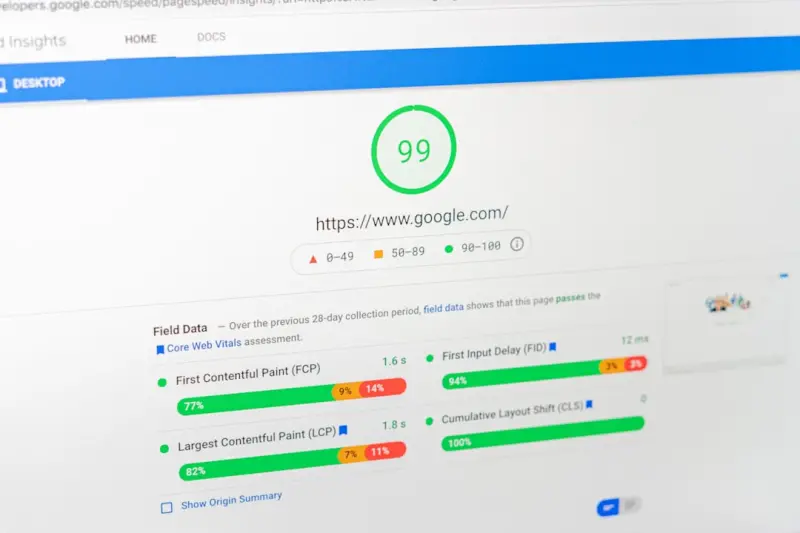
If your site already passes Google’s mobile‑friendly test and Core Web Vitals, but you still notice a dip in indexed pages, dynamic rendering might be the missing piece.
Choosing the Right Toolset
Several services make dynamic rendering painless:
- Rendertron – An open‑source headless Chrome instance you can self‑host.
- Prerender.io – A SaaS solution that caches rendered snapshots and serves them on demand.
- Firebase Hosting + Cloud Functions – For teams already in the Google ecosystem, you can spin up a lightweight function that detects bots via the
User‑Agentheader.
Whichever approach you pick, the key is to maintain a single source of truth for your content. That means your API should be the canonical data source, and your rendering layer should merely translate it into HTML for bots.
Implementing a Bot Detection Strategy
Bot detection isn’t just about checking the User‑Agent string. Modern crawlers can masquerade as regular browsers, and some legitimate users (e.g., screen readers) may appear as bots. A robust strategy combines:
- Header inspection (User‑Agent, Accept‑Language, etc.)
- IP range verification against known Googlebot IPs (use reverse DNS lookup).
- Rate‑limiting to prevent abuse of your rendering endpoint.
By layering these checks, you avoid serving pre‑rendered content to malicious scrapers, which could inflate your crawl budget without adding value.
Measuring Success: What to Watch In Your Log Files
Once dynamic rendering is live, the next step is to monitor its impact. Your server logs become a goldmine of insight. Look for patterns such as:
- Reduced 404 spikes for JavaScript‑dependent routes.
- Improved crawl frequency on previously ignored pages.
- Lower average Time To First Byte (TTFB) for bot requests, indicating that your rendering service is performant.
Tools like log file analysis can help you visualize these trends and fine‑tune your rendering pipeline. If you notice a surge in bot traffic without a corresponding rise in organic impressions, you may need to adjust your caching rules.
Integrating Dynamic Rendering With Feature Rollouts
When you ship new functionality, you often want it indexed quickly. However, feature flags can hide content from crawlers if the flag isn’t toggled for them. To avoid this, coordinate your feature rollout SEO tactics with your rendering logic:
- Expose the new page to bots in a “staging” mode using a
noindexmeta tag. - Once the feature is stable, remove the
noindexand let your dynamic renderer serve the live HTML. - Use structured data (e.g.,
SoftwareApplicationschema) to highlight the new feature’s attributes.
This approach guarantees that Google sees the fresh content at the right time, without the risk of indexing half‑finished pages.
Schema Markup: Turning Rendered Pages Into Rich Results
Dynamic rendering gives you the perfect opportunity to inject JSON‑LD schema directly into the HTML snapshot. For SaaS products, consider the following types:
SoftwareApplication– Describes the app, pricing, operating systems, and audience.FAQPage– Useful for support articles and knowledge‑base entries.HowTo– Great for tutorials or onboarding guides.
Because crawlers receive a fully rendered page, the structured data is immediately discoverable, increasing the chances of appearing in rich snippets and enhancing click‑through rates.
Performance Considerations: Keeping Core Web Vitals Healthy
Dynamic rendering can add latency if the rendering service is slow. To mitigate this:
- Cache rendered HTML for a reasonable duration (e.g., 12‑24 hours) and purge on content updates.
- Serve the cached HTML from a CDN edge location to minimize round‑trip time.
- Compress the response (gzip or brotli) and use
Cache‑Controlheaders wisely.
By keeping the bot‑specific path lightweight, you protect your overall Core Web Vitals scores, which remain a ranking signal even for non‑interactive pages.
Future‑Proofing: Preparing for the Next Generation of Search
Google’s crawling capabilities are evolving. The upcoming “Search Engine Indexing API” promises to let developers push content directly into the index, bypassing traditional crawling altogether. While the API is still in beta, dynamic rendering positions your SaaS site to adapt quickly: you already have a pipeline that can generate clean HTML snapshots on demand.
Moreover, as more search engines (Bing, Yandex, Baidu) adopt similar rendering expectations, a unified dynamic rendering strategy becomes a competitive advantage across the board.
Checklist: Is Your SaaS Site Ready for Dynamic Rendering?
- Identify pages that rely heavily on client‑side data fetching.
- Choose a rendering service that aligns with your tech stack.
- Implement robust bot detection (User‑Agent + IP verification).
- Set up caching and CDN distribution for rendered snapshots.
- Inject appropriate schema markup into the HTML output.
- Monitor log files for crawl patterns and performance metrics.
- Coordinate feature releases to ensure new content is indexable.
- Regularly audit Core Web Vitals for both human and bot traffic.
Following this checklist will help you strike the perfect balance: a buttery‑smooth user experience and a search‑engine‑friendly architecture that fuels organic growth.
Wrapping Up
Dynamic rendering isn’t a silver bullet, but it’s a pragmatic bridge between the world of modern JavaScript frameworks and the timeless need for discoverability. By thoughtfully applying it, SaaS companies can unlock the full SEO potential of their SPAs without compromising on speed or interactivity.

Tom Ferguson is a Canadian freelance writer with a passion for storytelling, current events, and thoughtful commentary. Drawing on years of writing experience, he shares engaging insights on a wide range of topics, bringing a uniquely Canadian perspective to his work.
Related Posts

Edge-First Technical SEO: Leveraging CDNs, HTTP/2, and PWAs
This post reveals why SaaS platforms should adopt an edge‑first architecture, covering CDN strateg... Read More

Edge‑First SEO: Turning CDN Power into a Ranking Advantage
Discover practical steps to turn your CDN into an SEO asset, from optimizing cache headers and using... Read More

Scaling International Technical SEO: Hreflang, CDN & Crawl Budget Mastery
A practical guide to mastering hreflang, edge CDN, and crawl‑budget tactics for multilingual sites... Read More
Top Posts

The Future of Link Building: Navigating the Ever-Changing Landscape
The landscape of link building is constantly evolving. Learn how to adapt to emerging trends and best practices to ensure your link building efforts are effecti...Read More

Cracking the SERP Code: A Fresh Playbook for Dominating Search Features
A modern guide to navigating today’s SERP landscape, with practical steps to win featured snippets, answer boxes, and emerging AI‑driven search features....Read More
Mapping SERP Intent: Turning Search Signals into SaaS Growth
Learn a practical framework for capturing SERP interaction data, classifying user intent, and aligning SaaS landing pages to boost conversions and reduce bounce...Read More

SEO Alchemy: Transforming SaaS Customer Forums into Ranking Power
Learn how to harvest, optimize, and amplify user‑generated forum content into structured, search‑friendly pages that drive organic traffic, strengthen autho...Read More
0 Comments
Post Comment
You will need to Login or Register to comment on this post!