
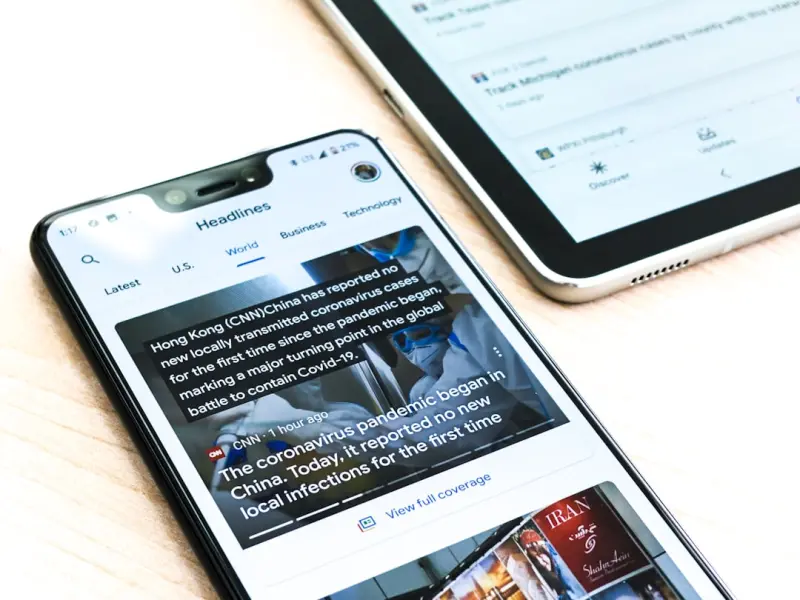
When I first started tinkering with mobile search for our SaaS platform, I quickly realized that the typical “mobile‑first” checklist was only scratching the surface. The real prize isn’t just a responsive layout or a fast loading time—it’s turning a fleeting mobile query into a qualified trial user before they even think about typing a URL. In this post I’ll walk through a playbook that focuses on three under‑explored levers: deep linking to product experiences, mobile‑optimized structured data for feature snippets, and the invisible power of in‑app search signals.
Why Deep Linking Is the Missing Link in Mobile SaaS Growth
Deep links are essentially URLs that point directly to a specific screen inside your web app or native app. For a SaaS product, that could be a pricing page, a free‑trial sign‑up form, or a feature demo. When a user lands on that precise destination from a mobile SERP, friction drops dramatically. They don’t need to navigate through a homepage, click a “Get Started” button, or wrestle with a mobile menu. The result is a higher conversion rate and a clearer attribution path.
Here’s how to make deep linking work for you:
- Map search intent to in‑app destinations. Use keyword research to identify phrases that signal purchase intent (“SaaS project management free trial”, “CRM demo login”). Then create deep links that land users straight on the corresponding sign‑up or demo page.
- Adopt universal app links or intent‑based URLs. Universal app links work on both iOS and Android, automatically opening the native app when it’s installed and falling back to the web version when it isn’t.
- Validate with Google’s URL Inspection tool. Confirm that Google can crawl, index, and render the deep‑linked destination. Any 404 or redirect loop will sabotage your SERP visibility.
By treating each deep link as a mini‑landing page, you can apply the same SEO rigor you would to a traditional web page—optimizing title tags, meta descriptions, and schema—while delivering a frictionless mobile experience.
Mobile‑Optimized Structured Data: Getting Your Features Into the SERP Spotlight
Structured data is no longer a “nice‑to‑have” for SaaS brands; it’s a gateway to feature‑rich snippets that appear on mobile devices where screen real estate is precious. While most teams focus on “FAQ” or “How‑To” schema, there’s a goldmine of opportunity in SoftwareApplication and Product markup.
Steps to implement:
- Identify high‑value product attributes. Think of unique selling points that users search for—e.g., “AI‑driven reporting”, “real‑time collaboration”, or “GDPR‑compliant data storage”.
- Embed
softwareApplicationschema. Include fields likeoffers,operatingSystem,applicationCategory, andfeatureList. Google can surface these in a “Product Highlights” carousel on mobile SERPs. - Test with Google’s Rich Results Test. Ensure Google can parse the JSON‑LD without errors; a single syntax mistake can prevent the snippet from rendering.
- Monitor performance. Use the “Enhancements” report in Google Search Console to track impressions, clicks, and CTR for each structured data type.
When done right, a mobile user sees a concise, visually distinct block that tells them exactly what your SaaS does, without having to click through a generic title. That immediate clarity often nudges them toward the deep link you’ve already prepared.
The Invisible Engine: In‑App Search Signals as a Ranking Factor
Google’s crawlers have grown smarter, and they’re beginning to treat in‑app search behavior as an indirect relevance signal. If users regularly type “export report” inside your app after arriving from Google, it tells the search engine that “export report” is a core intent for your product. While the exact weight of this signal is still opaque, early adopters are already seeing a measurable uplift in related keyword rankings.
To leverage this:
- Expose search query logs to Google via the Search Console URL Parameters tool. Mark parameters that capture internal queries as “non‑essential” to avoid duplicate content issues.
- Standardize query naming. Use consistent, SEO‑friendly terminology inside the app (e.g., “export‑pdf” instead of “exportNow”). This consistency makes it easier to map internal queries to external search terms.
- Feed anonymized query data to a structured data feed. Google supports “SearchAction” markup that can hint at the types of queries users perform, reinforcing topical relevance.
Remember, privacy is paramount. Only aggregate, anonymized data should ever be shared, and you must comply with regional data‑protection laws.
Designing Mobile Page Architecture for Deep Link Success
Even the best deep links and schema won’t help if the underlying page architecture is a mess. Mobile page hierarchy should be shallow, with a clear path from the SERP to the conversion element. Here are three design principles:
- One‑click access. Ensure that any deep‑linked page loads the primary call‑to‑action (CTA) above the fold. For a trial sign‑up, the form should be visible without scrolling.
- Progressive enhancement. Load critical content first (HTML, essential CSS) and defer non‑essential scripts. This improves Core Web Vitals but also guarantees that users on slower connections still see the CTA.
- Mobile‑specific breadcrumbs. While breadcrumbs are traditionally a desktop element, a condensed version on mobile helps Google understand page depth and can appear in SERP snippets.
Testing with real devices (not just emulators) is essential. Use tools like Lighthouse, but also conduct manual checks on low‑end Android phones and older iOS devices to validate that the deep‑link experience remains smooth.
Measuring Success: KPIs That Matter for Mobile SEO
Traditional SEO metrics—organic traffic, keyword rankings, and backlinks—still matter, but for mobile deep‑linking they’re only part of the story. Focus on these additional KPIs:
- Deep‑Link Click‑Through Rate (DL‑CTR). The percentage of impressions that result in a click on a deep link, measured in Google Search Console under “Pages”.
- Landing Page Conversion Rate. Track the ratio of deep‑link visitors who complete the trial sign‑up or demo request.
- In‑App Search Frequency. Monitor how often users search for terms that match your targeted keywords; a rise often correlates with higher SERP relevance.
- Core Web Vitals (LCP, FID, CLS) on Deep‑Linked Pages. Mobile users expect sub‑second load times; any dip directly hurts both rankings and conversion.
Combine these metrics in a single dashboard to spot trends quickly. When you see a drop in DL‑CTR, investigate whether a recent UI change inadvertently moved the CTA below the fold.
Future‑Proofing: Preparing for Voice‑First Mobile Search
Voice assistants on smartphones are becoming the default interface for many “on‑the‑go” queries. While voice search is still a niche for B2B SaaS, early adopters can gain a competitive moat by aligning deep‑link strategies with conversational phrasing.
Tips for voice‑ready mobile SEO:
- Target question‑based keywords. Phrases like “How do I set up a free trial for project management software?” map naturally to deep‑linked FAQs.
- Provide concise, answer‑focused content. Voice assistants pull short snippets; ensure your deep‑linked pages contain a clear, 40‑word summary at the top.
- Leverage
Speakableschema. This markup signals to Google that a paragraph is optimized for spoken delivery.
By positioning your deep links as the answer to a voice query, you increase the odds that Google will surface your content in the “Featured Answer” slot, which is inherently mobile‑centric.
Putting It All Together: A 7‑Day Action Plan
To get started, follow this bite‑size sprint:
- Day 1‑2: Keyword Intent Mapping. Identify 10 high‑intent phrases and assign a deep‑link destination for each.
- Day 3: Schema Implementation. Add
softwareApplicationandSpeakablemarkup to those pages. - Day 4: Universal Link Setup. Configure Android App Links and iOS Universal Links for the new URLs.
- Day 5: In‑App Search Alignment. Align internal search terms with the external keywords you’ve targeted.
- Day 6: Performance Audit. Run Lighthouse, fix any LCP/FID/CLS issues, and verify that the deep‑linked pages load in under two seconds on a 3G connection.
- Day 7: Launch & Monitor. Publish the changes, submit the URLs for indexing, and set up alerts for DL‑CTR and conversion metrics.
Within a month you should see a measurable lift in mobile trial sign‑ups and a clearer attribution path from search to product usage.
Final Thoughts
Mobile SEO is evolving from a checklist of responsive designs to a full‑funnel growth engine. By treating deep links as conversion‑focused landing pages, enriching them with mobile‑optimized structured data, and feeding in‑app search signals, SaaS companies can capture high‑intent users at the exact moment they’re searching on their phones. The result isn’t just higher rankings—it’s a tighter loop between discovery and activation that fuels sustainable growth.

Tom Ferguson is a Canadian freelance writer with a passion for storytelling, current events, and thoughtful commentary. Drawing on years of writing experience, he shares engaging insights on a wide range of topics, bringing a uniquely Canadian perspective to his work.
Related Posts
The Mobile-First Revolution: How Mobile SEO is Changing the Game
Mobile SEO is no longer a nicety, but a necessity. Learn how to optimize for mobile and stay ahead o... Read More
Mobile Intent Mapping: The New Secret Sauce for SaaS SEO
Discover a fresh mobile SEO strategy that goes beyond speed and responsiveness. By mapping user inte... Read More

The Mobile SEO Playbook SaaS Teams Need Right Now
Mobile search now drives the majority of SaaS discovery. This playbook walks you through a true mobi... Read More
Top Posts

Local SEO in 2024: Brandy Miller’s Blueprint for Dominating Your Neighborhood
Brandy Miller reveals a 2024 local SEO playbook that blends mobile optimization, citation consistency, review management, and technical tweaks, helping business...Read More

How Customer Success Stories Can Supercharge Your SaaS SEO
Customer success narratives are untapped SEO gold. Learn a step‑by‑step playbook to capture, optimize, and amplify these stories for higher rankings, richer...Read More

Core Web Vitals Mastery: Boosting SaaS Site Performance for SEO
A step‑by‑step technical playbook shows SaaS marketers how to diagnose performance issues, optimize LCP, FID, and CLS, and turn speed wins into measurable S...Read More

AI‑Generated Micro‑Copy: Scaling Brand Voice Without Losing Authenticity
Learn why AI‑generated micro‑copy is the silent game‑changer for marketers, delivering authentic brand voice at scale while driving higher CTRs and SEO pe...Read More
0 Comments
Post Comment
You will need to Login or Register to comment on this post!