
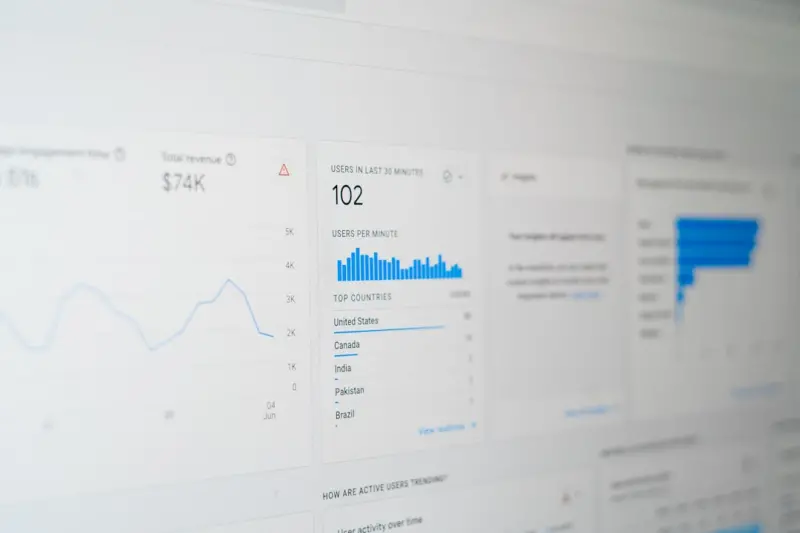
When I first saw a Google result that answered my question without me ever clicking, I felt a mix of awe and a pinch of panic. The answer was there—right on the SERP—so why would anyone click through to my SaaS site? That moment sparked a deep dive into the world of zero‑click search, and what I discovered is a goldmine of untapped traffic for SaaS companies willing to think beyond traditional clicks.
Why Zero‑Click Search Matters for SaaS
Zero‑click search isn’t a niche curiosity; it’s becoming the norm. Google reports that more than half of all searches now result in some form of instant answer—featured snippets, knowledge panels, “People also ask,” or rich carousel cards. For SaaS businesses, this shift means two things:
- Visibility without a click. Even if the user never lands on your site, your brand appears at the top of the page, reinforcing authority.
- Opportunity to capture intent early. When you control the answer, you can subtly guide the user toward a next step—sign‑up, free trial, or demo request—without a traditional click.
In a market where acquisition costs are climbing, leveraging zero‑click real estate can dramatically improve cost‑per‑lead ratios.
Mapping the Zero‑Click Landscape
Before you can dominate, you need a clear map of the terrain. The most common zero‑click formats relevant to SaaS are:
- Featured Snippets. Direct answers, lists, tables, or definitions that appear above organic results.
- Knowledge Panels. Brand or product profiles that sit on the right side of the SERP (or at the top on mobile).
- People Also Ask (PAA) boxes. Collapsible Q&A clusters that often feature snippets.
- Rich Carousels. Especially for software comparisons, pricing tables, and “Top X tools” lists.
- Google Discover & Voice Answers. Though not always “zero‑click,” they surface content without a direct click.
Each format has its own set of ranking signals, but they all share a common DNA: concise, structured, and highly relevant content.
Crafting Snippet‑Ready Content
Creating content that Google loves enough to lift onto the SERP requires a blend of editorial precision and technical awareness. Here’s a step‑by‑step approach:
- Identify high‑impact queries. Use tools like Ahrefs, SEMrush, or the free data‑driven search intent framework to surface questions where a snippet could answer a pain point.
- Structure for clarity. Break answers into short paragraphs (< 40 words), bullet points, or tables. Google prefers easily scannable formats.
- Answer the question directly. The first 40–50 words should contain a clear, concise answer. Anything extra belongs after the core answer.
- Support with authority. Cite reputable sources, embed internal links to related deep‑dive articles, and use data points that reinforce credibility.
- Optimize surrounding content. Surround the answer with a well‑optimized heading (H2/H3) that includes the target keyword phrase. This signals relevance to Google’s algorithm.
- Leverage semantic topic clusters. Group related questions and answers under a pillar page to reinforce topical authority—read more about building clusters in the semantic topic clusters guide.
For example, a SaaS offering a project‑management tool could target the query “How to track project milestones.” The answer appears as a brief definition followed by a three‑step list, with a link to a deeper guide on milestone tracking.
Optimizing for Knowledge Panels
Knowledge panels are a bit of a different beast. They pull data from structured sources like Wikipedia, official websites, and the Google Knowledge Graph. To influence a panel for your SaaS brand:
- Claim your Google Business Profile. Even for digital‑only SaaS, this provides a verified source of information.
- Implement comprehensive schema markup. Use
Organization,SoftwareApplication, andFAQschemas to feed Google precise data about your product, pricing, and support. - Maintain a consistent NAP (Name, Address, Phone) across the web. Consistency builds trust in Google’s knowledge graph.
- Publish authoritative content on high‑authority domains. Guest posts on tech publications often get harvested into the knowledge graph.
When done right, your panel can showcase product features, pricing tiers, and even a direct “Free trial” button—turning a zero‑click impression into a conversion pathway.
Technical Tweaks to Boost Your Chances
Beyond content, technical SEO lays the foundation for zero‑click success:
- Page speed and mobile friendliness. Google prefers fast, responsive pages for snippet extraction.
- HTML hierarchy. Use clear heading tags (H1‑H3) that incorporate target phrases; Google often extracts answers from the nearest heading.
- Clean URLs. Short, keyword‑rich URLs are easier for crawlers to interpret.
- Structured data validation. Test your schema with Google’s Rich Results Test to ensure it’s error‑free.
- Canonical tags. Prevent duplicate content from diluting snippet eligibility.
Remember, Google’s algorithms are constantly learning. Regularly audit your pages for broken markup or slow load times—small technical missteps can cost you a coveted snippet.
Measuring Success & Iterating
Zero‑click SEO demands a different set of metrics than traditional organic traffic:
- Impression share. Track how often your snippet appears in SERPs using Google Search Console’s “Performance” report.
- Position rank for featured snippets. Note whether you appear “Position 0” for target queries.
- Zero‑click conversion rate. Use tools like Google Tag Manager to fire events when users interact with a snippet (e.g., clicking a “Call now” button from a knowledge panel).
- Assist traffic. Monitor lift in organic traffic for related keywords after a snippet wins.
Set up a quarterly review cadence: capture baseline data, test new answer formats, and adjust based on performance trends. The iterative loop is where the magic happens—small refinements can move you from a “Top 10” position to the coveted “Position 0.”
Putting It All Together: A Playbook for SaaS Teams
Here’s a concise checklist you can hand to your content, SEO, and product teams:
- Query Mining. Pull a list of 30‑50 high‑intent questions from keyword tools, forums, and support tickets.
- Content Mapping. Assign each query to a content owner; decide whether it belongs on a blog, help center, or product page.
- Snippet Drafting. Write a 40‑word answer, a supporting list/table, and a concluding CTA.
- Technical Review. Add schema, verify heading hierarchy, and run page speed tests.
- Publish & Promote. Publish on the appropriate URL, push via internal newsletters, and share on social for secondary signals.
- Monitor & Optimize. Use Search Console to track impressions; tweak answer phrasing or format based on performance.
By institutionalizing this workflow, your SaaS brand can steadily build a portfolio of zero‑click assets that not only dominate SERPs but also nurture leads in a frictionless, user‑first environment.
Zero‑click SEO isn’t a gimmick; it’s a strategic shift toward meeting users exactly where they are—right on the search results page. Embrace it, and you’ll turn what once felt like a missed opportunity into a steady stream of qualified, high‑intent traffic.

Paula Wright writes from her home in Toronto Ontario, where she lives with her husband, Steve, and their two children. Driven by curiosity and a passion for storytelling, Paula loves to uncover the "why" and "how" behind every topic she covers. Her writing is fueled by her adventures; when she’s not at her desk, you’ll find her out on the road, camping under the stars, or wandering a new trail. Paula brings a sense of discovery and a fresh, real-world perspective to everything she writes for us.
Related Posts
Semantic SEO for SaaS: Master Topic Clusters
Learn a step‑by‑step framework for building semantic SEO topic clusters that improve crawl effic... Read More

Micro‑Moment Mastery: An SEO Playbook for Real‑Time User Intent
Discover a fresh SEO playbook that leverages micro‑moments, real‑time data, and modular content ... Read More

Empathy‑Driven SEO: How to Turn Human Insight into Rankings
A fresh look at SEO that puts people first. Learn how empathy, intent mapping, and genuine link buil... Read More
Top Posts

The Evolution of Google SEO: A Comprehensive Guide to Staying Ahead
Google SEO is constantly evolving. Stay ahead of the curve with our comprehensive guide to the evolution of Google SEO. Learn the latest trends, best practices,...Read More

Original Research: A Secret Weapon for Modern Link Building
Original research turns raw SaaS data into link‑magnet content, delivering editorially‑earned backlinks, higher domain authority, and measurable traffic gai...Read More

Storytelling for Local SEO: Turning Your Business Profile into a Neighborhood Magnet
Discover a fresh approach to local SEO that treats your Google Business Profile as a living story, integrates hyper‑local content hubs, and harnesses employee...Read More

Interactive Tools: The Untapped Gold Mine for Link Building
Learn why creating shareable interactive tools—like ROI calculators and churn estimators—offers a powerful, organic way to earn backlinks, drive traffic, an...Read More
0 Comments
Post Comment
You will need to Login or Register to comment on this post!