

Why Crawl Budget Matters More Than Ever for SaaS
When I first started tinkering with the inner workings of Googlebot for a mid‑size SaaS startup, I thought “crawl budget” was just a buzzword that SEO gurus tossed around to sound clever. Fast forward a few product releases, and I realized it’s the silent traffic cop that decides whether your newest feature page ever sees the light of day in Google’s index.
Unlike a blog that lives on a single domain, a SaaS platform often has a sprawling architecture: product landing pages, documentation hubs, community forums, trial sign‑up flows, and a maze of dynamically generated dashboards. Each of these sections competes for a slice of the crawl budget that Google allocates to your domain. If you don’t manage that budget wisely, Google may waste its time on low‑value URLs while your high‑impact pages stay in the shadows.
Understanding the Basics: What Is Crawl Budget?
Google’s crawl budget is essentially two things rolled into one:
- Crawl Rate Limit – the maximum speed at which Googlebot can request pages from your server without overloading it.
- Crawl Demand – how much Google wants to crawl your site based on freshness, popularity, and the health of your content.
The budget is a dynamic figure. If your site is fast, returns clean HTTP status codes, and regularly updates high‑value content, Google will happily increase the budget. Conversely, 404 storms, duplicate content, and sluggish server responses shrink it.
The SaaS‑Specific Crawl Challenges
Here are the three pain points that make crawl budget a bigger headache for SaaS companies than for any other type of business:
- Dynamic URLs & Session Parameters – SaaS apps often generate URLs with query strings like
?session=abc123&ref=mail. Google may treat each variation as a separate page, diluting the budget across a sea of near‑duplicates. - Deeply Nested Documentation – Your knowledge base can be 10+ clicks deep. If the internal linking isn’t crystal‑clear, Googlebot may never reach those pages, regardless of how valuable they are for users.
- Frequent Feature Releases – Every sprint can spawn new landing pages, blog posts, and tutorial videos. Keeping the crawl budget focused on the newest, most relevant URLs is a moving target.
Step‑by‑Step Blueprint to Optimize Crawl Budget
1. Audit Your URL Landscape
Start with a site‑wide crawl (or use your favorite log‑file analyzer). Identify three categories of URLs:
- High‑Value Pages – product feature pages, pricing, case studies, and conversion‑focused blog posts.
- Low‑Value Pages – filtered admin dashboards, user‑specific query strings, and legacy landing pages that no longer convert.
- Orphan Pages – content that isn’t linked from anywhere else on the site.
Once you have the list, you can start pruning or consolidating the low‑value and orphan pages.
2. Clean Up URL Parameters
Google Search Console lets you tell Google which query parameters to ignore. For example, you can set session and utm_source as “doesn’t change page content.” This prevents Googlebot from treating each permutation as a separate URL.
For SaaS platforms that use deep‑linking for in‑app navigation, consider a hash‑bang (#!) approach or, better yet, move to progressive enhancement so the primary content is available in a clean, static URL.
3. Consolidate Duplicate Content with Canonicals
Every time you release a new version of a product, you might inadvertently create duplicate pages—one for “Product v2” and another for “Product v2 – New Features.” Use the <link rel="canonical"> tag to point Google to the preferred version. If you have multiple language versions, combine canonical tags with hreflang annotations to keep the budget from being split across locales.
4. Strengthen Internal Linking
A well‑structured internal linking strategy is the most powerful way to guide Googlebot toward the pages you care about. Follow these best practices:
- Place high‑value pages within the top three clicks from the homepage.
- Use descriptive anchor text that reflects the target page’s intent.
- Leverage “related content” widgets to surface older but still relevant blog posts.
Think of internal links as a runway for Googlebot—without a clear path, the crawler will either wander aimlessly or give up.
5. Optimize Server Response Times
Even if you’ve nailed the URL structure, a slow server can throttle the crawl rate limit. Aim for a TTFB (Time to First Byte) under 200 ms. If you’re on a cloud platform, enable HTTP/2, use edge caching (CDNs), and keep your static assets on a separate domain or subdomain.
6. Use Robots.txt Wisely, Not Aggressively
It’s tempting to block everything that looks “non‑essential,” but over‑blocking can hide pages you actually want indexed. Instead of blanket Disallow: / directives, be surgical:
User-agent: *
Disallow: /admin/
Disallow: /settings/
Allow: /settings/privacy-policy.html
Remember: Allow overrides Disallow, so you can keep the privacy policy accessible while shutting out the entire /settings/ folder.
7. Leverage Sitemaps as a Priority Queue
Submit an XML sitemap that lists only the high‑value URLs you want crawled first. Use the priority attribute to hint at importance, but don’t rely on it exclusively—Google treats it as a suggestion, not a command.
8. Monitor Crawl Stats in Search Console
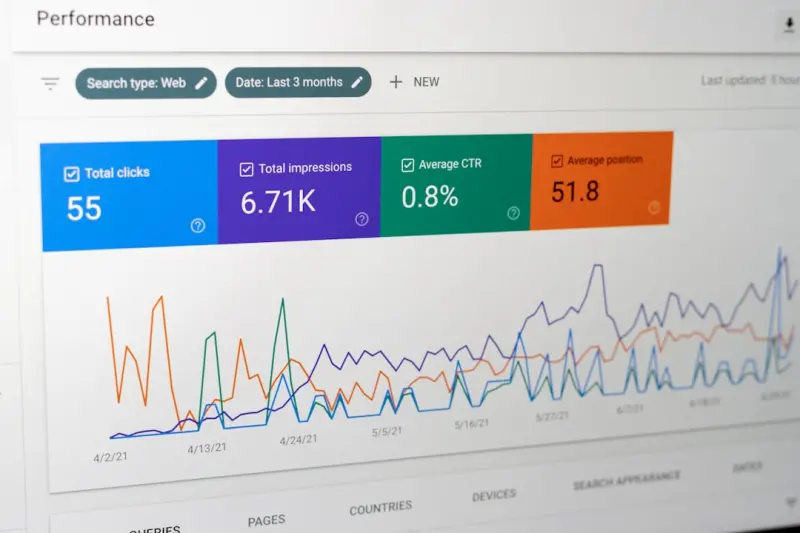
Search Console’s Crawl Stats report shows you how many requests Googlebot made, the average response time, and the total bytes downloaded. A sudden dip in crawl requests often signals an issue (e.g., a server outage or an increased 5xx error rate). Set up alerts so you can react before the budget shrinks.
Advanced Tactics: Log File Analysis & AI‑Powered Prioritization
If you’ve already implemented the basics, it’s time to get data‑driven. Log file analysis reveals exactly how Googlebot is traversing your site—what it crawls, what it skips, and where it gets stuck. Tools like Splunk or open‑source GoAccess can parse raw server logs into actionable insights.
Here’s a quick workflow:
- Export the last 30 days of server logs.
- Filter for
User-Agent: Googlebot. - Identify 404 and 500 responses—these are budget‑draining dead‑ends.
- Map the most frequently crawled URLs against conversion data. Prioritize the URLs that bring in qualified leads.
Once you have that map, consider using an AI‑first SEO approach to predict which upcoming product pages will need more crawl attention. Tools that ingest your content calendar, historical crawl data, and SERP volatility can automatically adjust your sitemap and internal linking structures. For a deeper dive on AI‑first SEO, check out this AI‑first SEO strategies guide.
Case Study: How a B2B SaaS Cut Crawl Waste by 40%
One of my clients—a SaaS platform with a 500‑page knowledge base and a demo‑environment that generated a ton of session‑based URLs—saw a dramatic drop in organic traffic after a major product launch. Their crawl budget was being siphoned by thousands of duplicate ?session= URLs, and the fresh feature pages never got indexed.
We applied the blueprint above:
- Removed unnecessary query parameters from the URL index.
- Added canonical tags to all session‑based URLs pointing back to the clean version.
- Refined the XML sitemap to include only the new feature pages and the top‑performing blog posts.
- Implemented a log‑file‑driven alert system that flagged any 404 spikes within 24 hours.
Result? Within six weeks, the site’s crawl budget increased by 25 %, the new feature pages were indexed in under 48 hours, and organic sessions rose by 18 %—all without any extra content creation.
Future‑Proofing Your Crawl Budget
As SaaS products become more modular and API‑centric, the line between “website” and “application” will blur. Here are three forward‑looking practices to keep your crawl budget resilient:
- Adopt Edge‑Rendered Content – Use server‑side rendering (SSR) or edge functions (e.g., Cloudflare Workers) to serve pre‑rendered HTML for critical pages. This reduces reliance on JavaScript rendering and keeps Googlebot happy.
- Integrate Structured Data Early – Embedding schema markup not only enhances SERP appearance but also signals to Google the relevance of a page, which can boost crawl demand. See the structured data secrets article for implementation tips.
- Automate SEO Checks in Your CI/CD Pipeline – Add linting rules for canonical tags, robots.txt entries, and sitemap generation to your build process. If a PR introduces a new URL parameter, the pipeline can automatically flag it.
Takeaway Checklist
- Run a full crawl audit and classify URLs by value.
- Consolidate or block unnecessary query parameters.
- Implement canonical tags on all duplicate content.
- Strengthen internal linking to surface high‑value pages within three clicks.
- Optimize server response times and use edge caching.
- Fine‑tune robots.txt to block truly non‑essential sections.
- Maintain a lean, high‑priority XML sitemap.
- Monitor Crawl Stats and set up log‑file alerts.
- Leverage AI‑first SEO tools to anticipate future crawl needs.
- Future‑proof with edge rendering, structured data, and CI/CD automation.
In the fast‑moving world of SaaS, technical SEO is no longer a “set‑and‑forget” task. It’s a continuous conversation between your developers, marketers, and the search engines that bring qualified prospects to your doorstep. Mastering crawl budget isn’t just about getting more pages indexed; it’s about making sure the pages that matter most get the attention they deserve.

Tammy French is a Montessori Teaching Assistant and freelance writer passionate about education, creativity, and inspiring lifelong learning through engaging content.
Related Posts

Why Technical SEO Must Evolve Into an Empathy‑First Discipline
Technical SEO isn’t just code—it’s a bridge to human intent. Learn how empathy reshapes perfor... Read More

Edge SEO: Turning CDN Power into Ranking Gains
Edge SEO combines CDN capabilities with traditional technical tactics to accelerate crawling, improv... Read More
Edge SEO: Leveraging CDNs for Faster Crawl, Better Indexing, and Higher Rankings
Edge SEO blends CDN power with SEO tactics, letting SaaS sites serve fast, crawler‑friendly HTML, ... Read More
Top Posts

Empathy‑First Social Strategy: Turning Conversations into Growth
Learn why empathy is the new engine of social strategy, how to measure its impact, and actionable steps to turn everyday conversations into brand growth....Read More

Navigating AI‑Powered SERP Overlays: A New Playbook for SaaS Visibility
The SERP has evolved into an AI‑driven interface with answer cards and mini‑apps. This guide shows SaaS marketers how to win visibility through semantic top...Read More

Why Subscription Models Are the Future of eCommerce
Subscription commerce is reshaping eCommerce by turning single purchases into continuous relationships. Learn the key strategies—from flexible cadences to dat...Read More

Turning Interactive Tools into Magnet Links for SaaS Growth
Learn a modern link‑building strategy that leverages interactive assets—calculators, demos, quizzes—to attract natural, high‑authority backlinks, boost ...Read More
0 Comments
Post Comment
You will need to Login or Register to comment on this post!