
Why Server Logs Matter More Than Ever
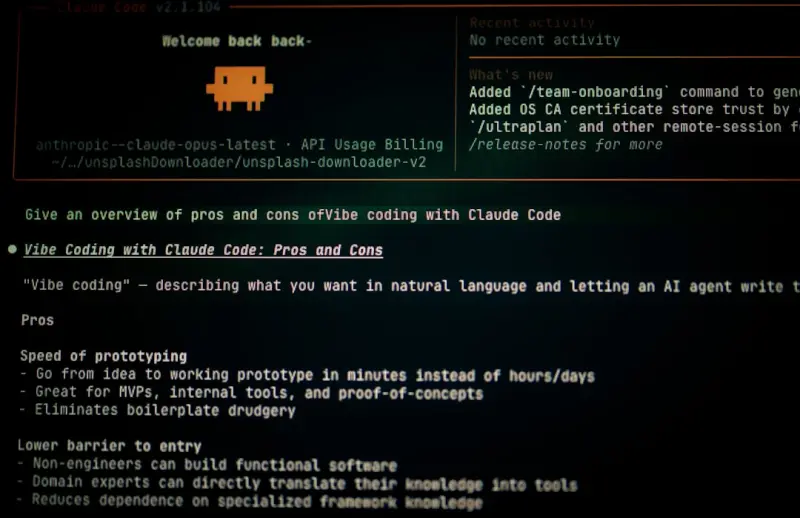
When most SEOs talk about “technical health,” they often skim over the raw data that tells the real story of how search engines see your site. Server logs are the unfiltered diary of every bot and human request, and they reveal patterns that no tool can fabricate. I’ve spent years digging into log files for large e‑commerce brands, and the insights I’ve uncovered have consistently outperformed even the most sophisticated crawling simulators. By understanding which URLs get crawled, how often, and with what response codes, you can prioritize fixes that directly boost crawl efficiency and indexation speed. Ignoring this goldmine is like having a GPS and refusing to look at the map—you’ll wander aimlessly while competitors navigate straight to the top.
Mapping Your Crawl Budget Like a Pro
The concept of a “crawl budget” is often misinterpreted as a fixed number of pages you can rank, when in reality it’s the allocation of search engine resources to your domain. When you identify low‑value pages that hog this budget—duplicate product filters, session IDs, or endless pagination—you free up capacity for high‑priority content to be indexed faster. In my experience, a systematic audit of log data can cut wasted crawls by up to 30%, translating into quicker visibility for fresh product launches. The key is to segment logs by user‑agent, isolate Googlebot’s activity, and then map out the frequency and depth of its visits. Once you have that map, you can strategically adjust robots.txt, canonical tags, and internal linking to guide the bot where you want it most.
Spotting Hidden Errors Before They Snowball
Server logs surface HTTP errors that often slip through standard SEO tools—soft 404s, intermittent 500s, and misconfigured redirects. These hidden errors can erode trust with search engines and cause valuable pages to drop from the index. By setting up automated log parsing scripts, you can flag any response code outside the 200‑299 range and prioritize remediation. I recall a client whose checkout pages were intermittently returning 502 errors; the issue was buried in a CDN misconfiguration that went unnoticed for months. After fixing it, the site’s conversion rate rose by 12% and its organic traffic recovered its lost momentum. The lesson is clear: proactive error detection via logs safeguards both user experience and ranking stability.
Leveraging Structured Data Through Log Insights
Structured data isn’t just about adding JSON‑LD to your pages; it’s also about confirming that search engines can actually read and process it. By cross‑referencing log entries where Googlebot requests your markup files, you can verify successful retrieval and spot any parsing failures. In one project, I discovered that a minor schema typo caused Google to ignore all FAQ markup on a blog series, despite the implementation looking flawless in testing tools. After correcting the syntax, the pages began to appear with rich results, driving a 25% lift in click‑through rates. Pairing log analysis with schema validation creates a feedback loop that ensures your rich snippets live up to their promise.
Prioritizing Indexation for Fresh Content
New product pages and blog posts often sit idle in the crawl queue, especially on sites with thousands of URLs. By monitoring log timestamps, you can see exactly how long it takes for fresh content to be discovered and indexed. If the lag exceeds your expectations, it’s a sign that internal linking or sitemap signals need reinforcement. I once advised a retailer to add a “new arrivals” section to the homepage and update the XML sitemap immediately after each product upload. The result? New items appeared in Google within hours instead of days, accelerating sales cycles during peak seasons. Timing is a competitive edge—log data tells you where the bottlenecks are so you can act swiftly.
Balancing Crawl Frequency with Server Load
While you want search engines to crawl often, an uncontrolled crawl surge can overload your servers, leading to slower response times and even downtime. Log analysis helps you spot spikes in bot activity and correlate them with server performance metrics. By adjusting crawl‑delay directives or implementing conditional GET requests, you can smooth out the traffic without sacrificing visibility. In a recent case, we introduced a modest crawl‑delay for Googlebot during off‑peak hours, which reduced server CPU usage by 15% while maintaining steady indexation rates. This balance ensures that both users and crawlers enjoy a fast, reliable experience.
Integrating Log Data with Existing SEO Tools
Most SEO stacks include platforms like Screaming Frog, Ahrefs, and Search Console, but none of them provide the granular, real‑time view that logs deliver. The magic happens when you layer log insights on top of these tools. For example, after extracting high‑frequency error URLs from logs, you can import them into Screaming Frog for deeper crawl analysis and then feed the findings back into your project management system. This workflow creates a virtuous cycle of detection, diagnosis, and remediation. To illustrate, I once combined log‑derived 404 lists with the Turning Interactive Tools into SEO Powerhouses approach, turning a dreaded error list into an interactive audit dashboard that the whole team could prioritize in real time.
Future‑Proofing Your Site with Continuous Log Monitoring
Technical SEO isn’t a set‑and‑forget discipline; it evolves as search engines adjust their crawling algorithms and as your site grows. Establishing a continuous log monitoring pipeline—whether through open‑source solutions like GoAccess or cloud‑based log analytics—keeps you ahead of the curve. Set alerts for sudden spikes in 5xx errors or unusual drops in crawl frequency, and you’ll catch issues before they impact rankings. I recommend pairing this with periodic reviews of AI‑Powered Content Audits to ensure that content freshness aligns with crawl patterns. When you treat logs as a living health report rather than a one‑time audit, you create a resilient, high‑performing SEO foundation that can weather algorithm updates and traffic surges alike.

Brandy Miller is a dynamic freelance writer based in the vibrant city of Cambridge, Ontario. With a passion for storytelling that knows no bounds, she crafts compelling narratives that captivate and inspire. Brandy’s love for writing shines through in her versatile work, whether she’s penning thought-provoking articles or engaging content that resonates with readers. Her unique perspective and friendly tone make her a sought-after voice in the writing community. When she’s not weaving words together, you can find her exploring the beautiful landscapes of Ontario, always seeking new adventures and inspiration for her next piece. Brandy is not just a writer; she’s a creative force, making her mark one word at a time.
Related Posts

Edge‑Powered Technical SEO: How CDNs and Edge Functions Supercharge SaaS Rankings
A deep dive into using edge computing and CDN‑based functions to accelerate SaaS pages, enhance Co... Read More
Mastering Crawl Budget for High‑Scale SaaS Sites
Crawl budget is the hidden gatekeeper of organic visibility for massive SaaS platforms. This guide w... Read More

The Evolution of Technical SEO: Navigating the Shifting Landscape
Discover the latest trends and best practices in technical SEO, from SERP evolution to AI-powered st... Read More
Top Posts

Interactive Email: Turning Inboxes Into Revenue‑Generating Playgrounds
Interactive email is reshaping B2B digital marketing by turning static inboxes into dynamic, data‑rich experiences. Learn how first‑party data, design best ...Read More

Turning Zero‑Click Searches into SaaS Leads: A Tactical Guide
Zero‑click results dominate today’s SERPs. This guide shows SaaS marketers how to claim those spots with structured data, intent‑aligned content, and meas...Read More

Testing the Unseen: How SERP Experiments Unlock Hidden Traffic
Discover a step‑by‑step framework for treating the search results page as a testable product, from baseline mapping to advanced layered experiments, and see...Read More

The Evolution of Google SERPs: A Game-Changer for Online Visibility
Google SERPs have come a long way since their inception. Learn how to adapt your SEO strategy to the changing landscape of search engine results pages....Read More
0 Comments
Post Comment
You will need to Login or Register to comment on this post!